Withdrawing Bot Balance
Earned funds from the bot's balance can be transferred to the organization's balance, and from there withdrawn in a convenient way
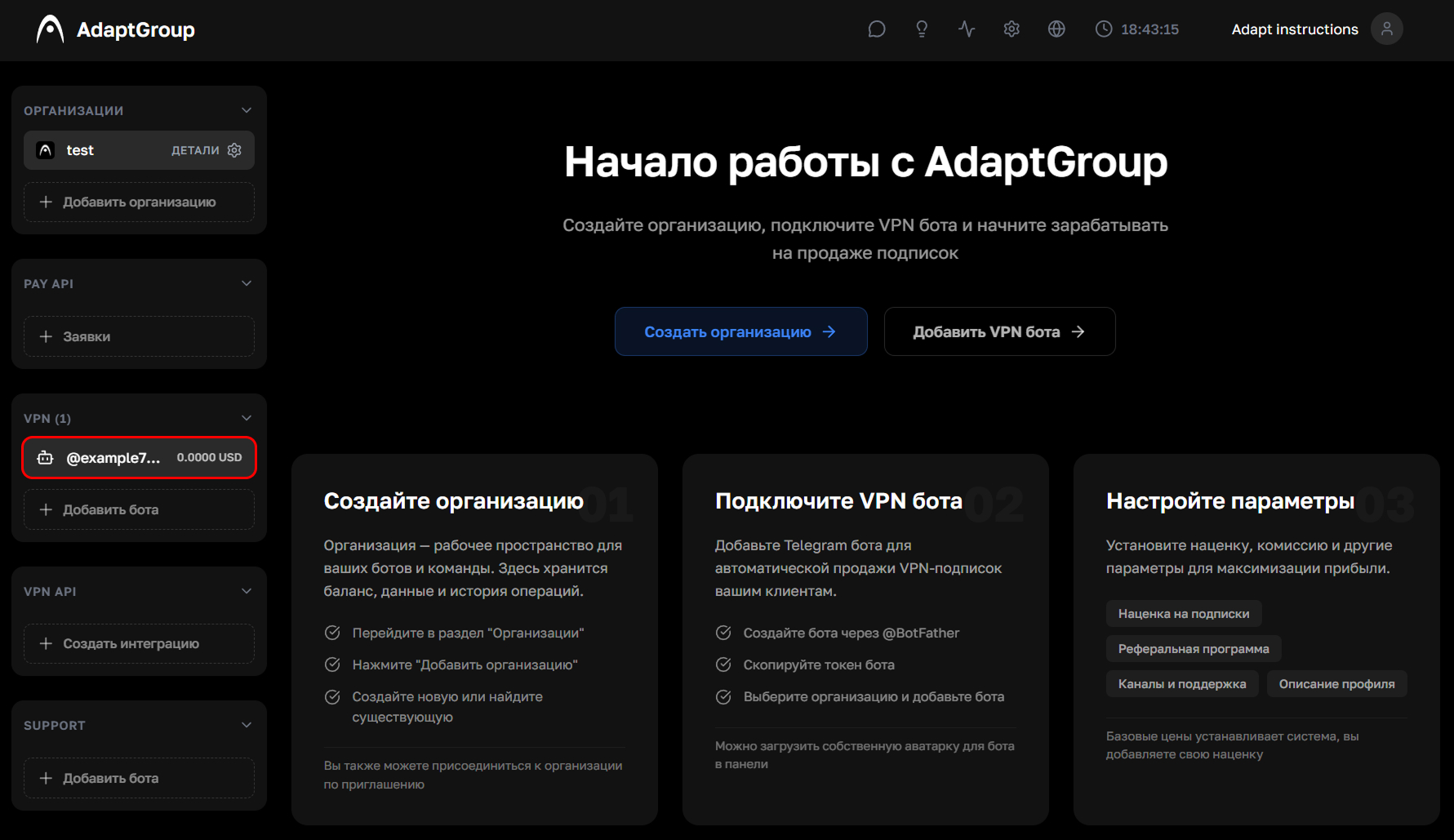
Step 1. Open the bot
In the left sidebar, in the VPN section, click on the bot you need
Show screenshot
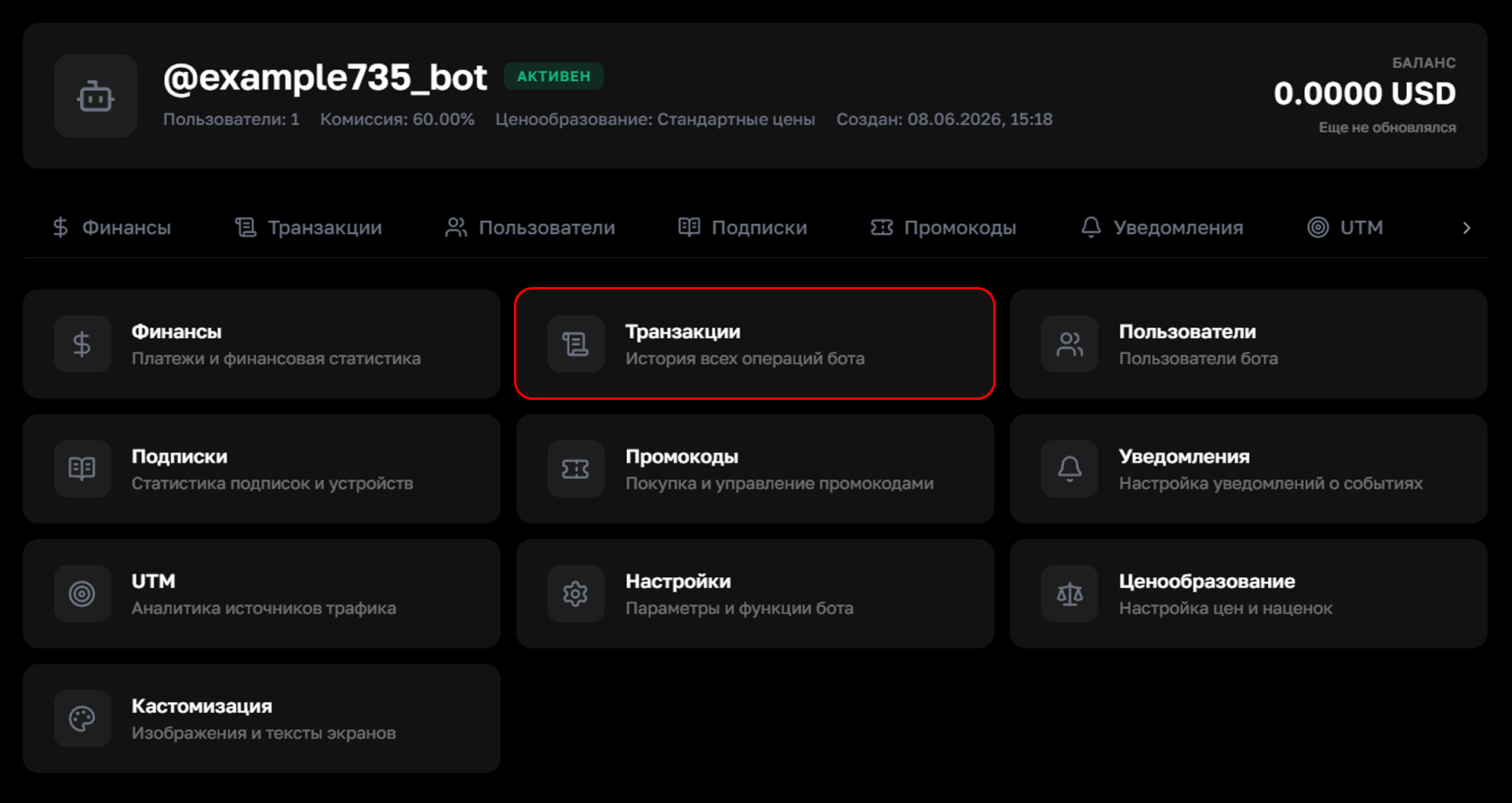
Step 2. Go to the "Transactions" section
On the bot's page, click on the "Transactions" tile
Show screenshot
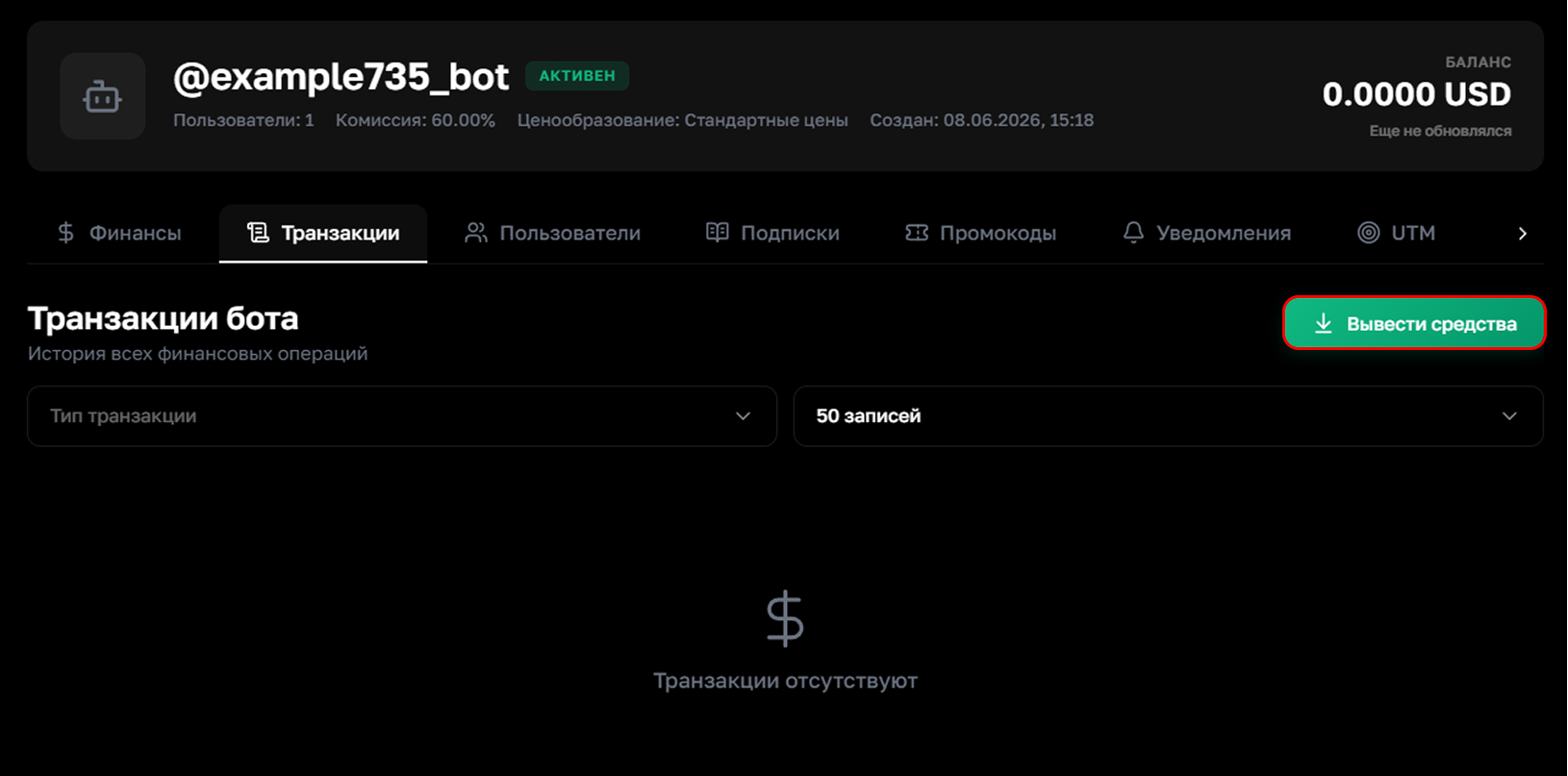
Step 3. Click "Withdraw Funds"
In the right part of the page, click the "Withdraw Funds" button
Show screenshot
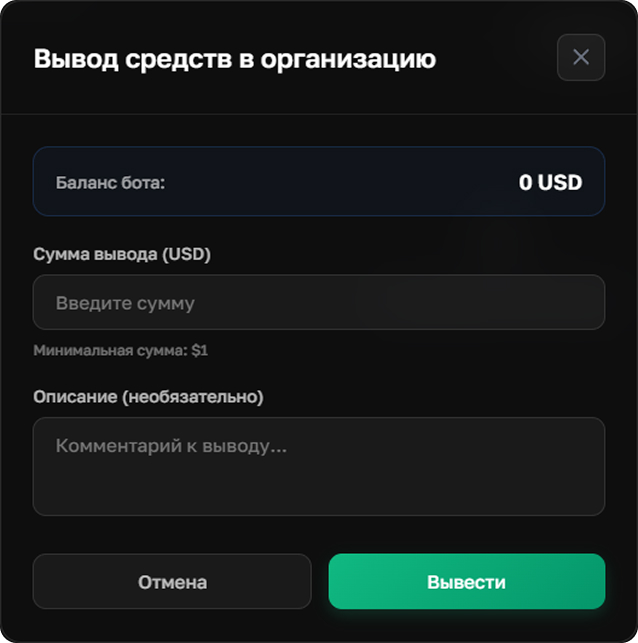
Step 4. Specify the amount
Enter the amount to transfer and add a comment if you wish. The minimum withdrawal amount is $1. Then click "Withdraw" — the funds will be credited to the organization's balance
Show screenshot
Information
After transferring funds to the organization's balance, they can be withdrawn to a Russian bank card or in USDT — more details in the Withdrawing Your Organization Balance section