VPN Bot Notification Settings
Notifications let you receive alerts about user actions directly in Telegram — to a channel, group or supergroup topic
Step 1. Open the bot
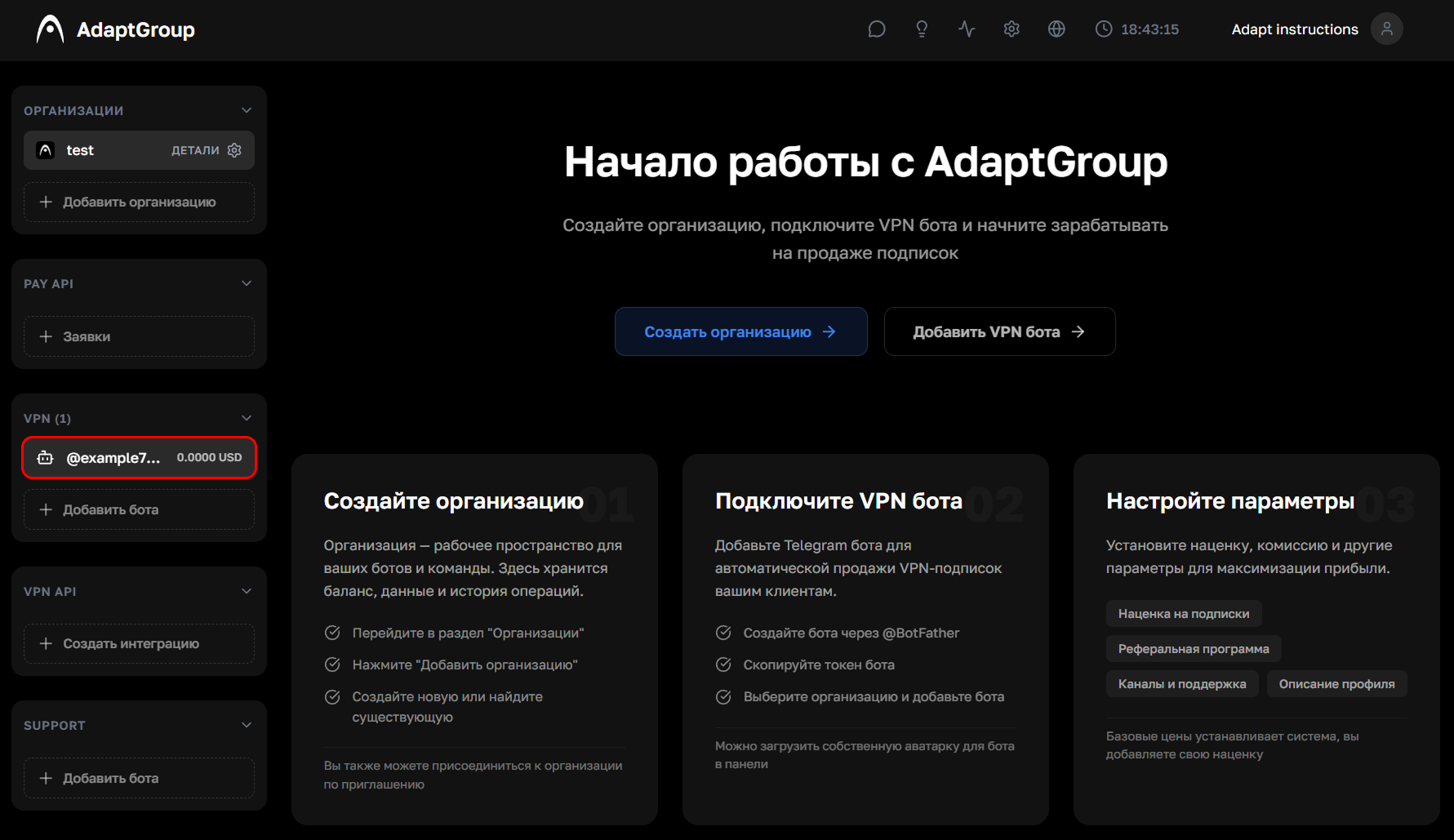
In the left sidebar, in the VPN section, click on the bot you need
Show screenshot
Step 2. Go to the "Notifications" section
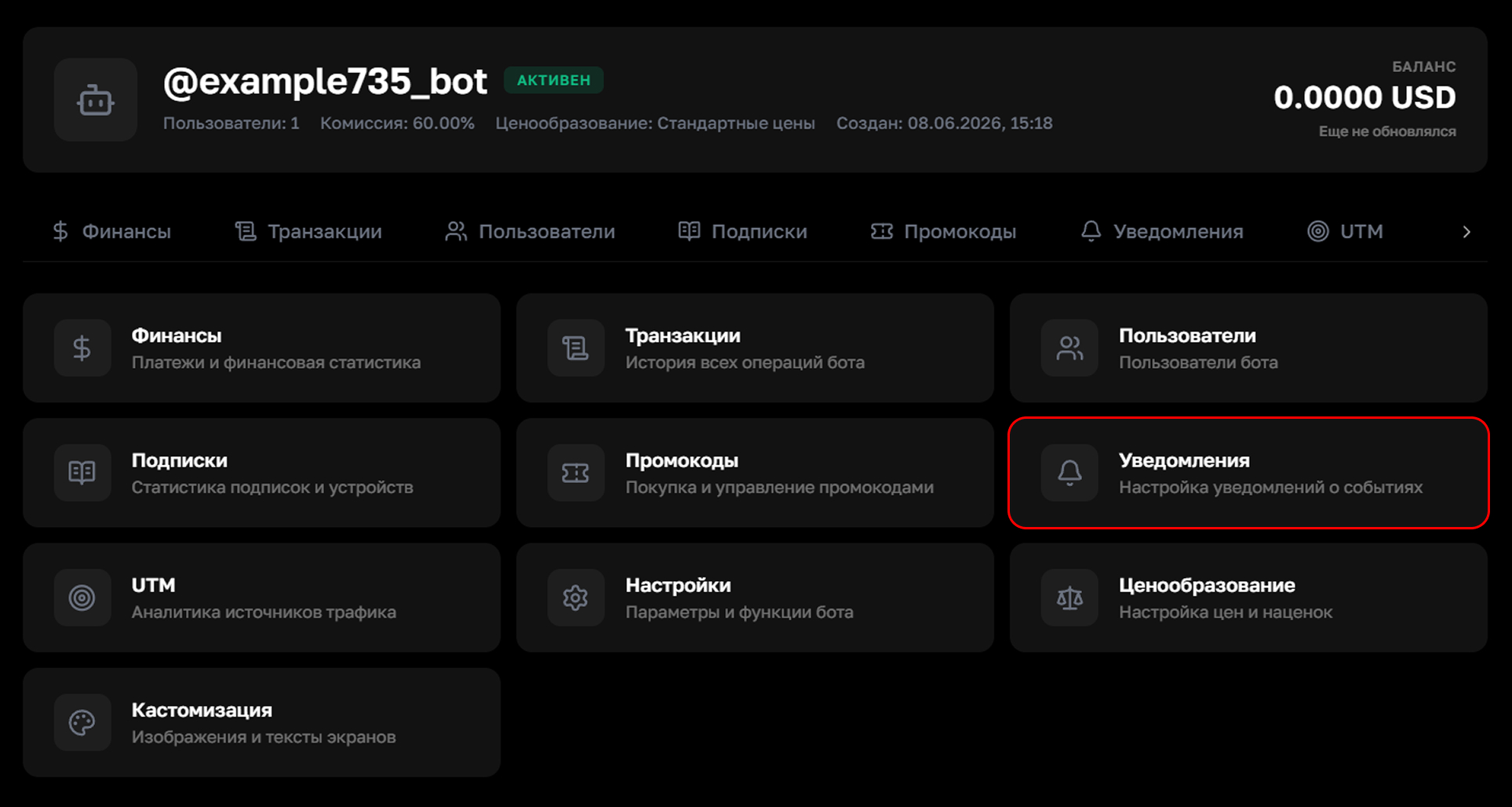
On the bot's page, click on the "Notifications" tile
Show screenshot
Step 3. Choose an event
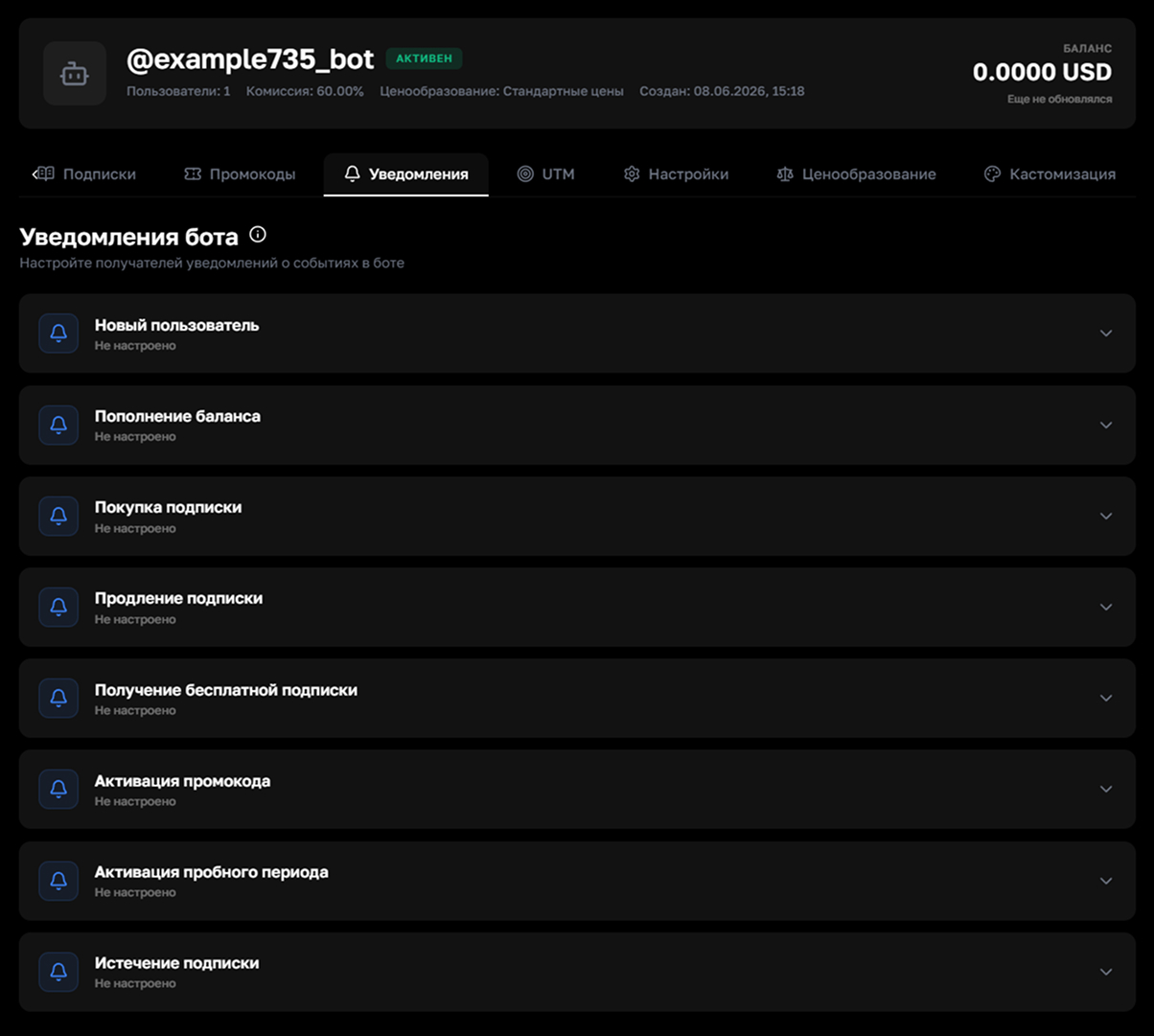
The list displays all available triggers — new user registration, balance top-up, purchase, subscription renewal or expiration, promo code activation, and trial period activation. Click on the event you need to configure it
Show screenshot
Step 4. Configure the recipient
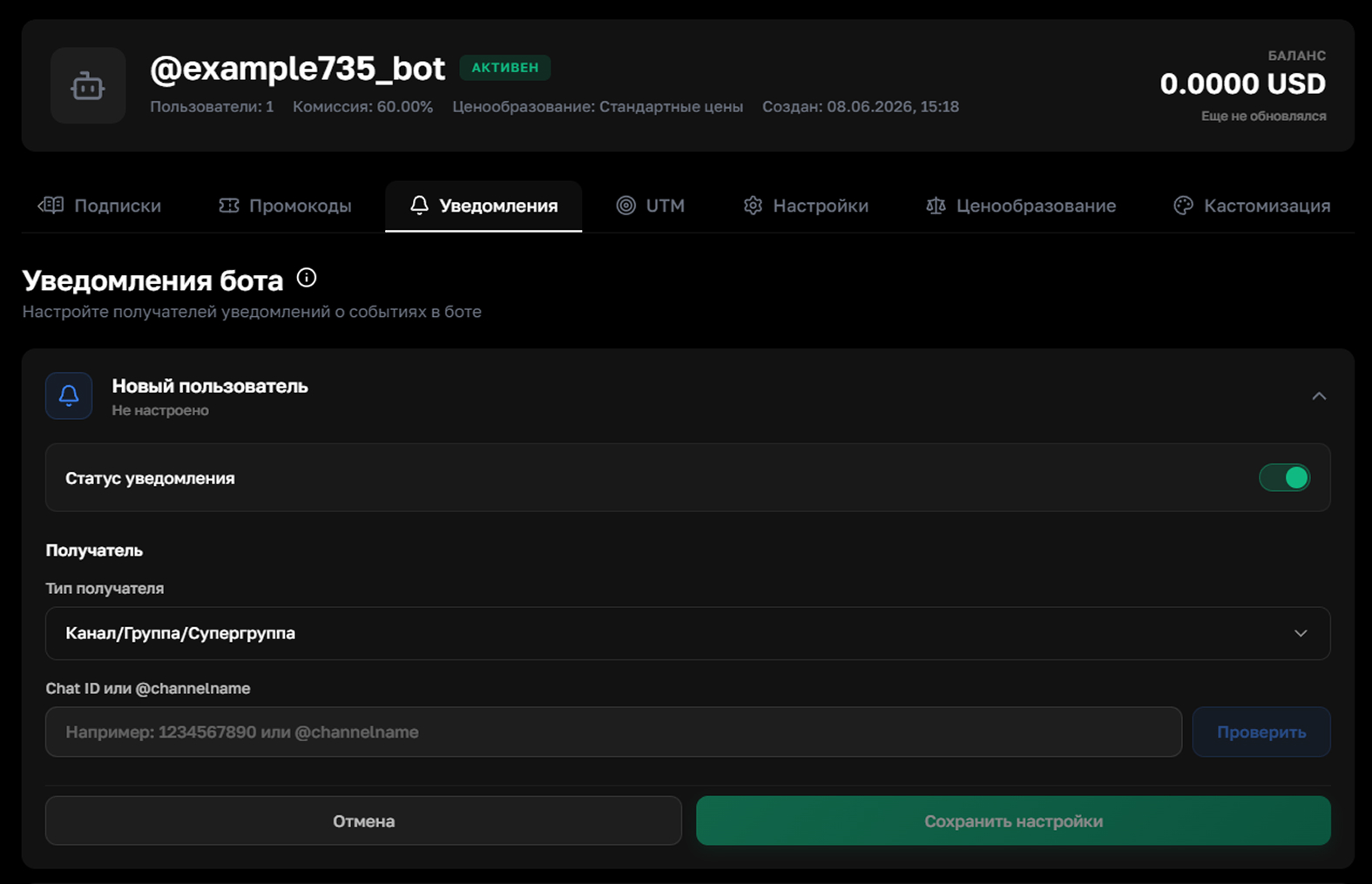
Enable the notification with the toggle, choose the recipient type (channel or group) and enter the chat ID. Then click "Check" to make sure everything is entered correctly, then "Save"
Don't forget to add your bot as an administrator to the channel, group or supergroup — otherwise notifications won't be sent
Show screenshot
It's convenient to create a supergroup with topics and route different types of notifications to separate topics — for example, new users to one and payments to another