Creating a VPN Bot
To launch a VPN bot, you first need to create it in Telegram via @BotFather, and then add it to the AdaptGroup control panel
Step 1. Create a bot in Telegram
Open Telegram and find @BotFather. Send the /newbot command and follow the instructions — come up with a name and username for the bot. After creation, BotFather will give you a token — copy it
The bot's username must end with bot, for example myvpn_bot
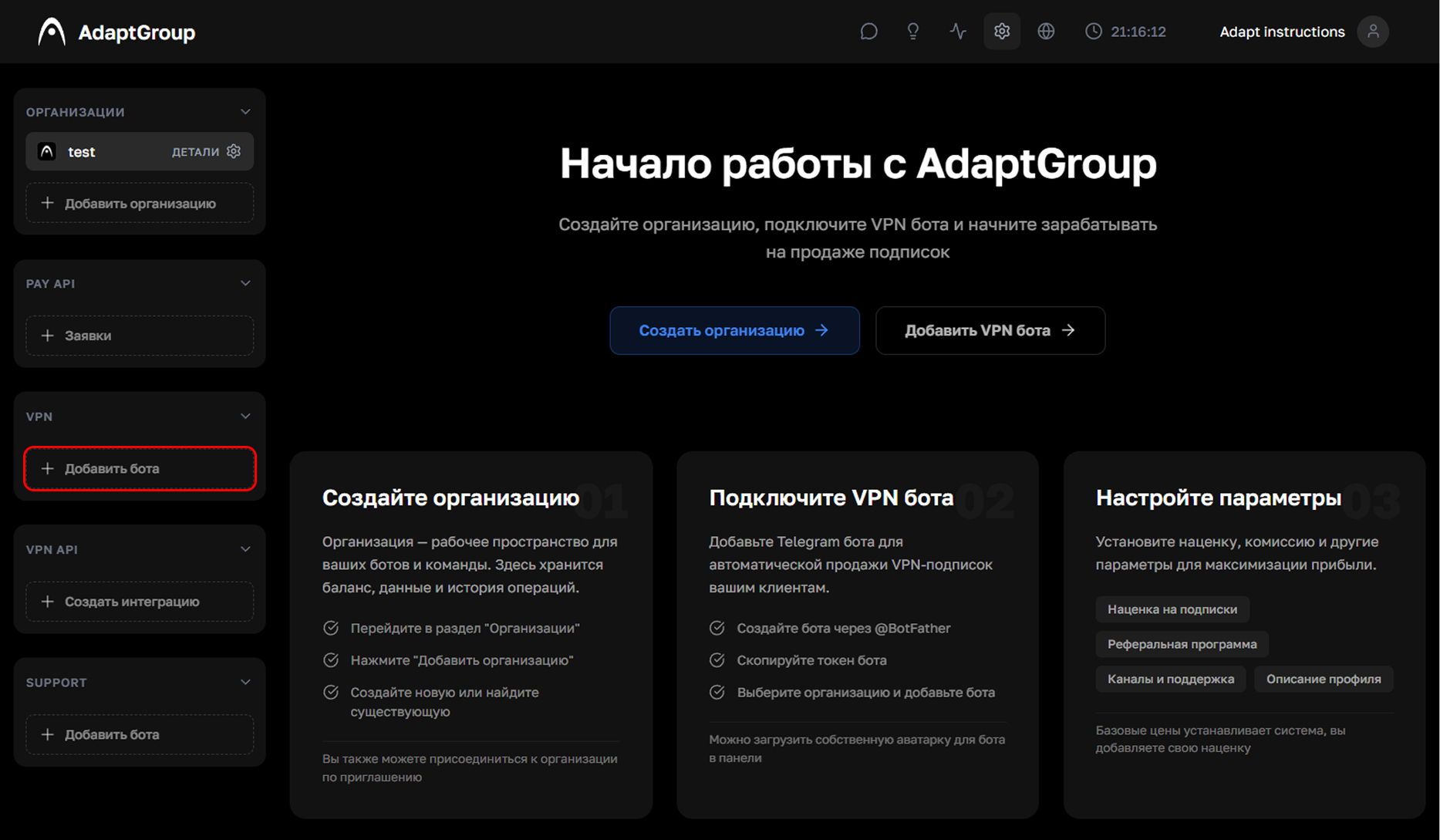
Step 2. Click "Add Bot"
In the left sidebar, in the VPN section, click the "Add Bot" button
Show screenshot
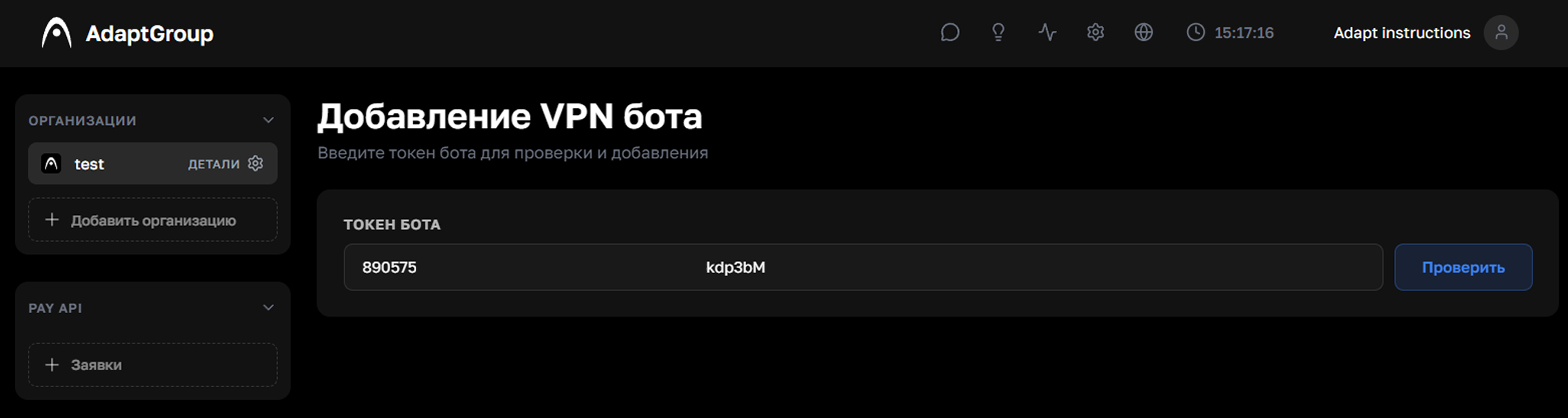
Step 3. Enter the token
Paste the copied token into the "Bot Token" field and click "Check"
Show screenshot
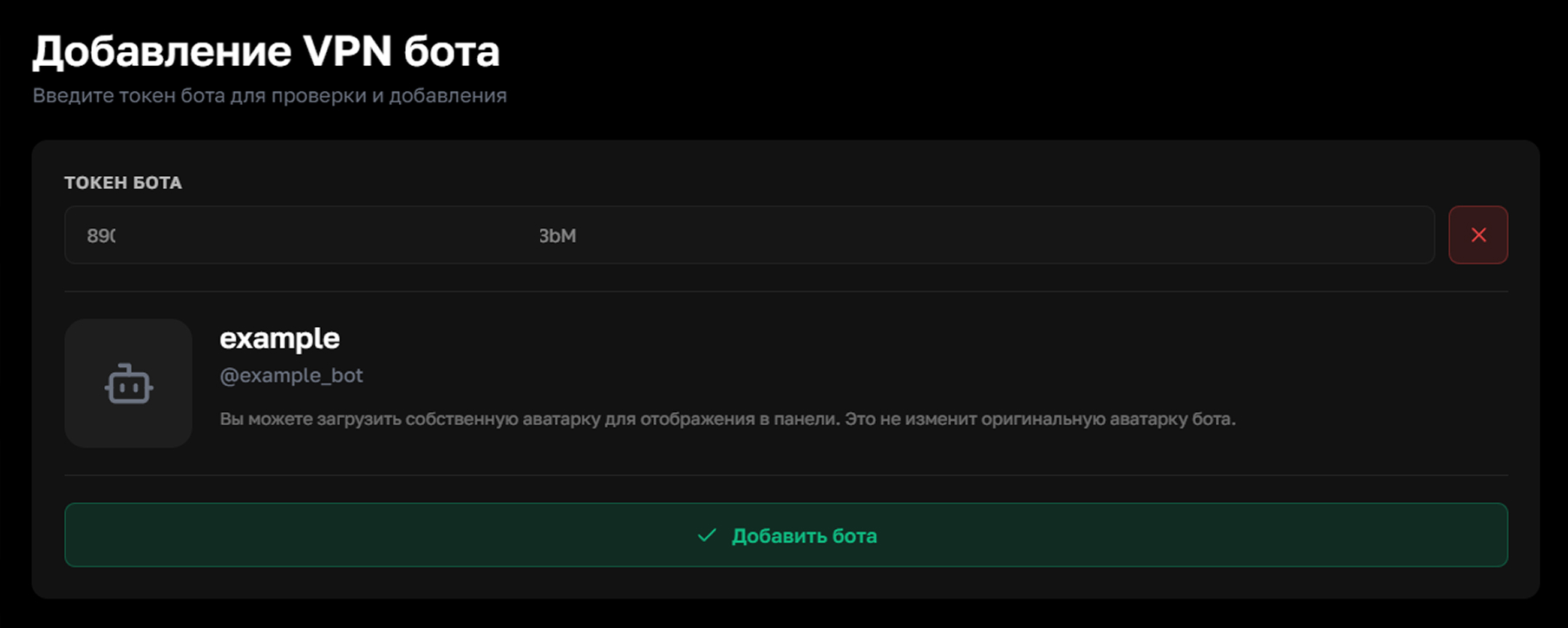
Step 4. Confirm the addition
If the token is correct, the system will recognize the bot and offer to confirm the addition. Click "Add" — the bot will appear in your control panel
Show screenshot
Keep your bot token in a safe place and don't share it with anyone — it can be used to gain full access to managing the bot