Changing Prices in a VPN Bot
In the pricing section, you can configure the cost of subscriptions and traffic for the bot's users
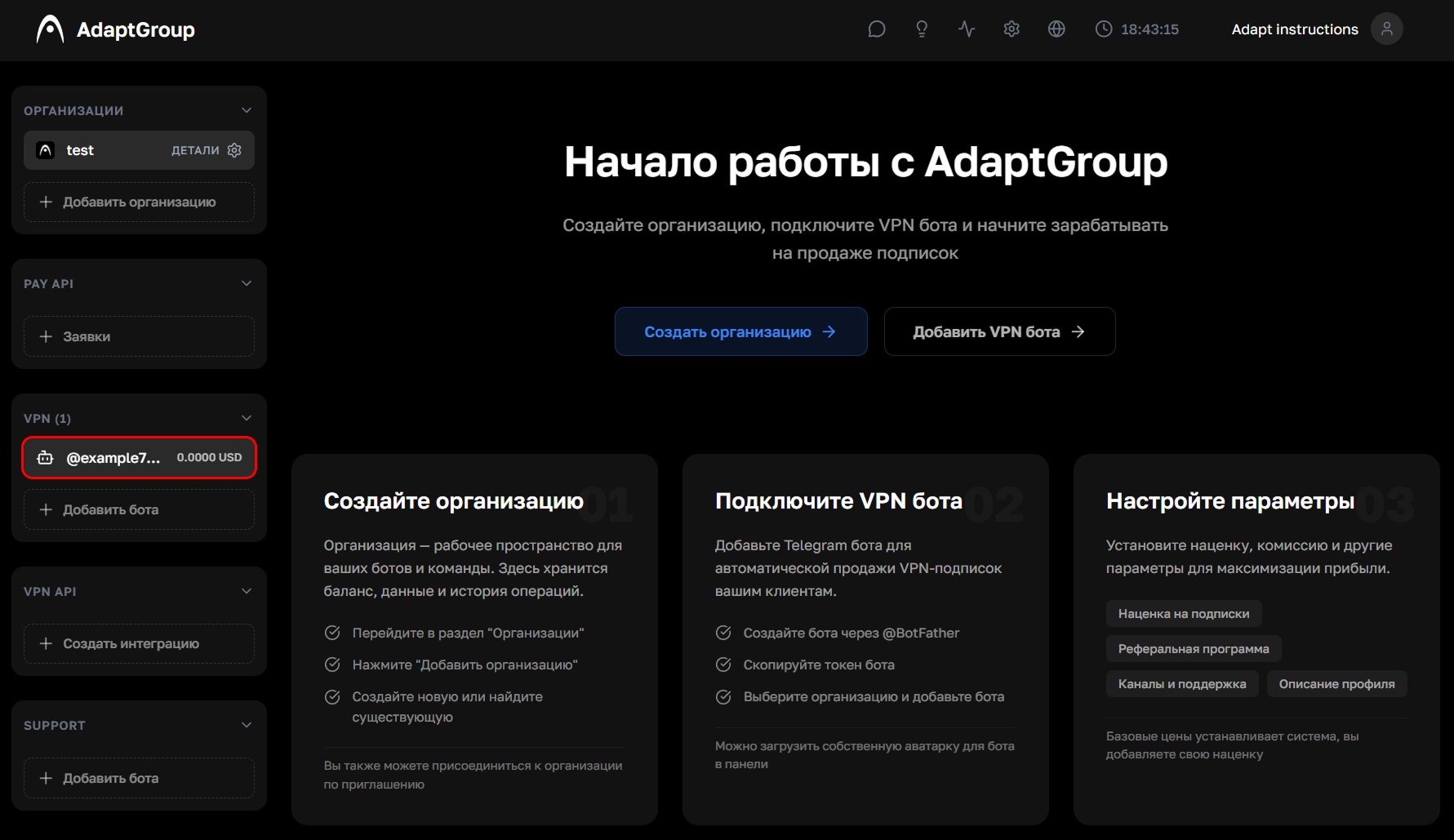
Step 1. Open the bot
In the left sidebar, in the VPN section, click on the bot you need
Show screenshot
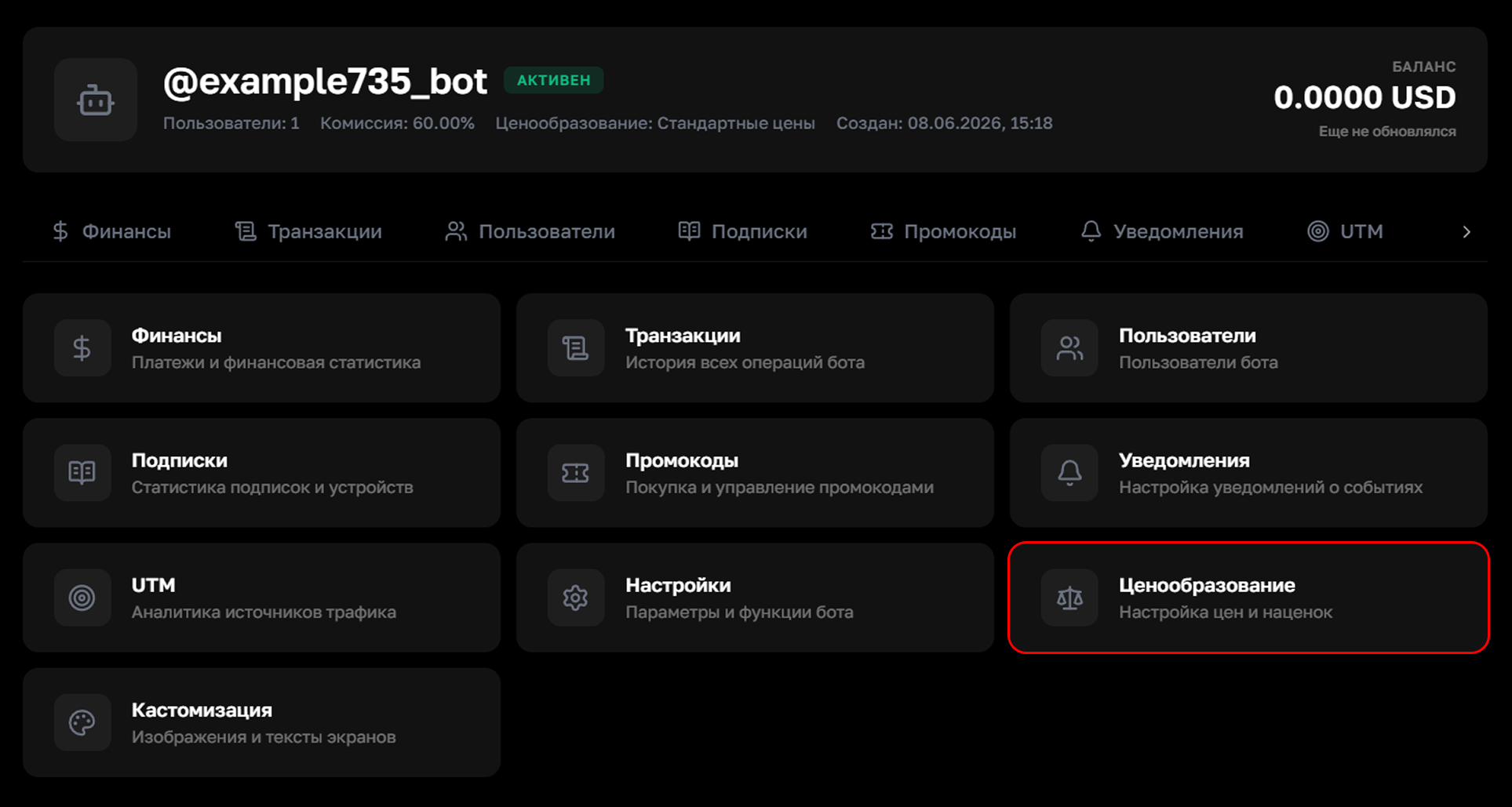
Step 2. Go to the "Pricing" section
On the bot's page, click on the "Pricing" tile
Show screenshot
Step 3. Configure subscription prices
Three modes for setting subscription prices are available
Base prices — system prices without changes
Markup % — automatically adds the specified percentage to the base prices. Convenient if you want to set a markup without calculating each value manually
Custom prices — fully manual price entry for each plan and period. Prices can be displayed in rubles or another currency, but they're all still tied to the US dollar
There are three plans: Standard, Pro and Premium. For each one, you can set prices for periods from 2 weeks to a year. After making changes, click "Save"
Show screenshot
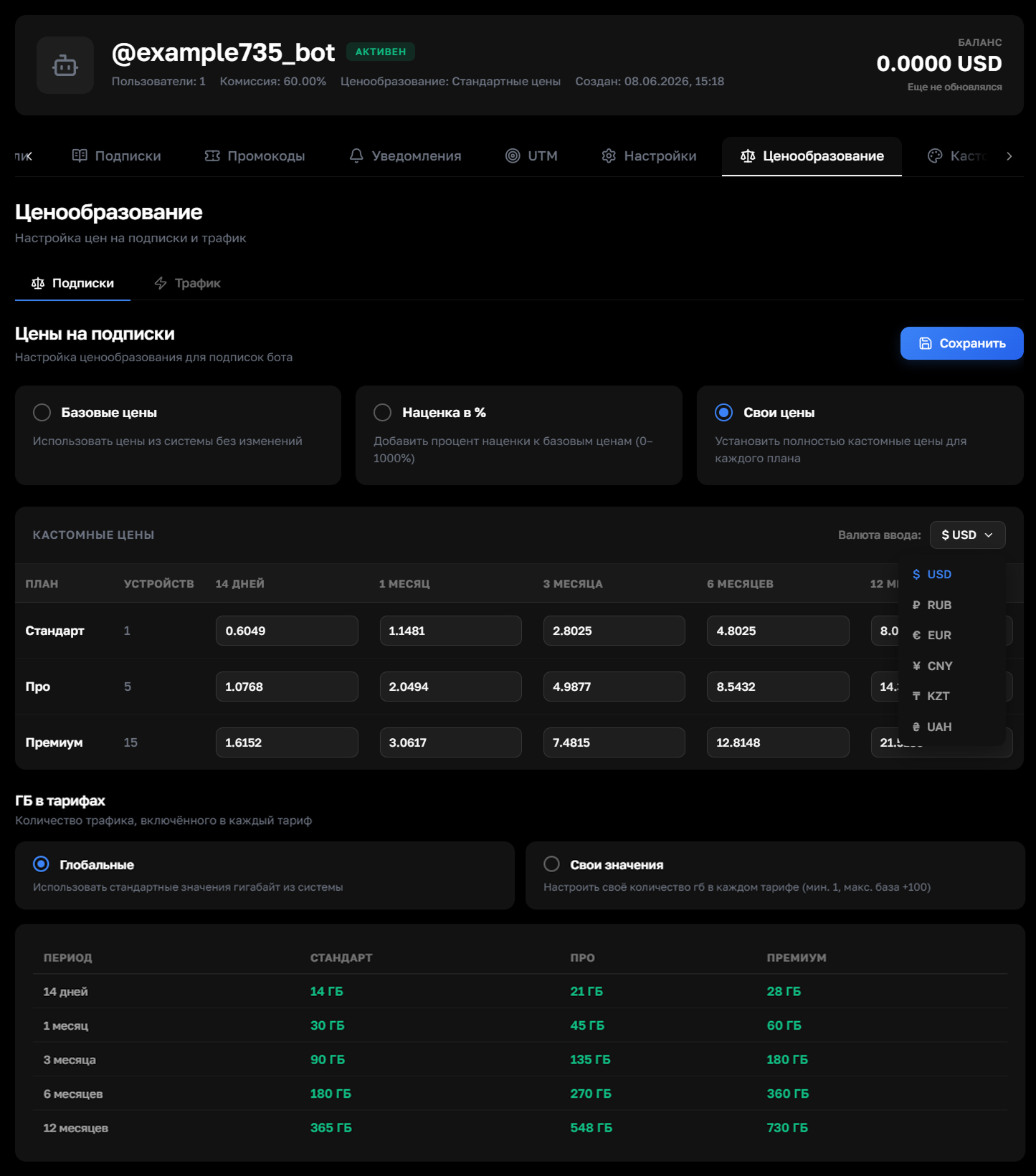
The GB traffic amounts in the plans apply only to special servers with limited traffic. Users can use regular servers without restrictions
Step 4. Configure traffic prices
On the "Traffic" tab, you can set the cost for purchasing additional gigabytes. The larger the purchase volume, the lower the price per unit of traffic. Ready-made packages for quick purchase in the bot are also configured here
Show screenshot
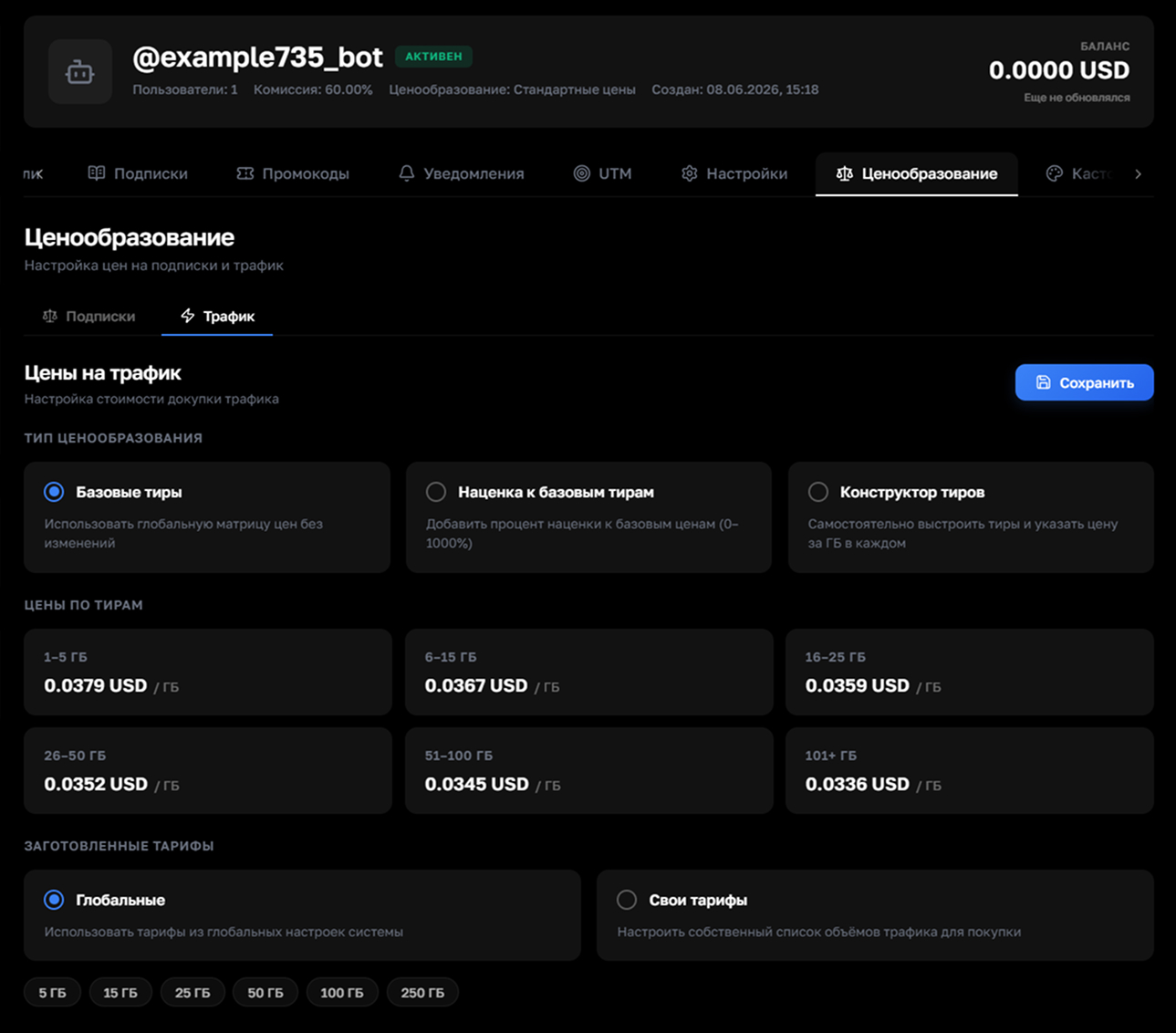
We recommend setting a markup on traffic of at least 100% — the cost of traffic is deducted from the organization's balance