VPN Bot Settings
In the bot settings you can configure subscription parameters, the referral system, support contacts, currency, and manage free and trial access
Step 1. Open the bot
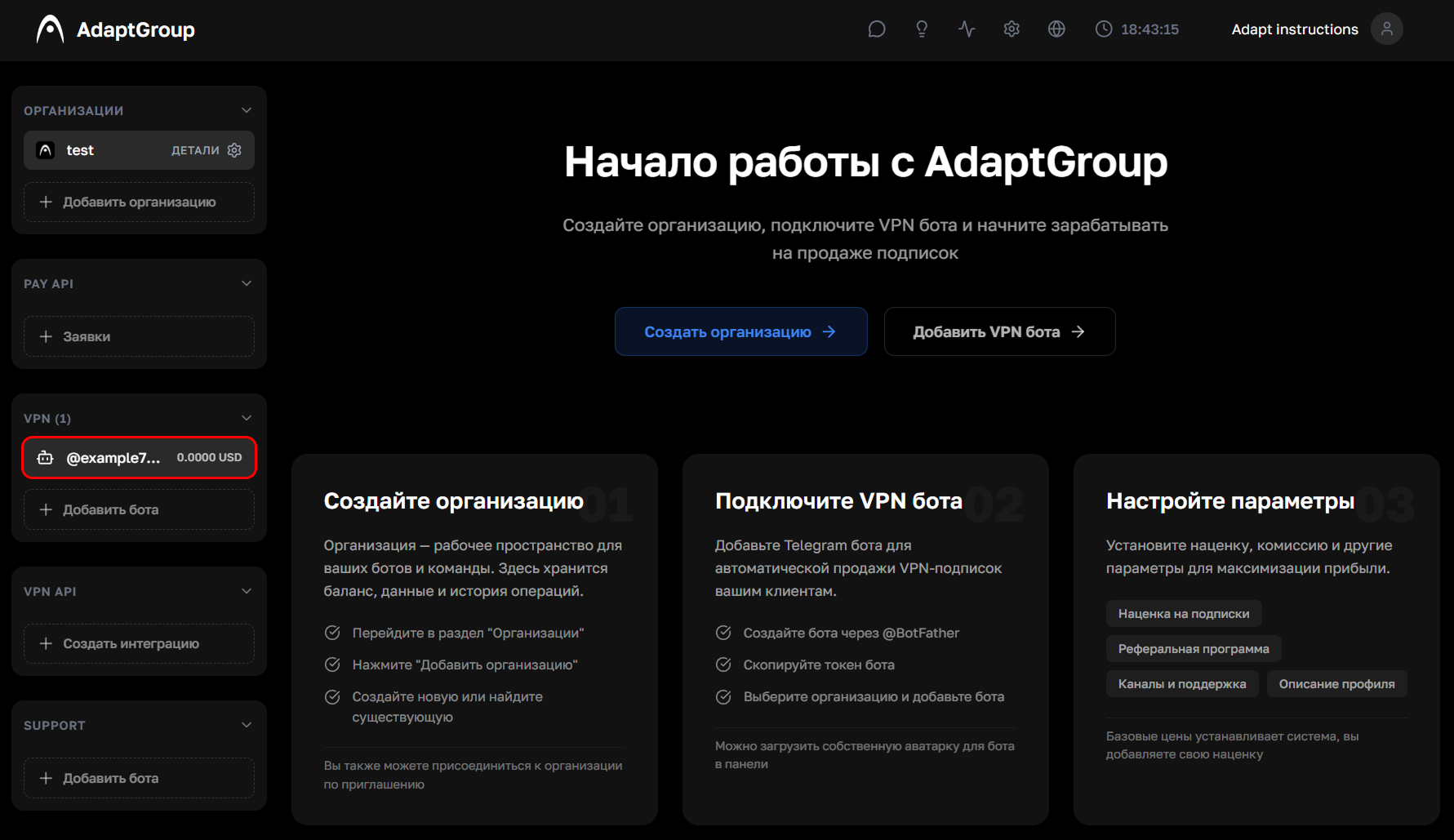
In the left sidebar, in the VPN section, click on the bot you need
Show screenshot
Step 2. Go to the "Settings" section
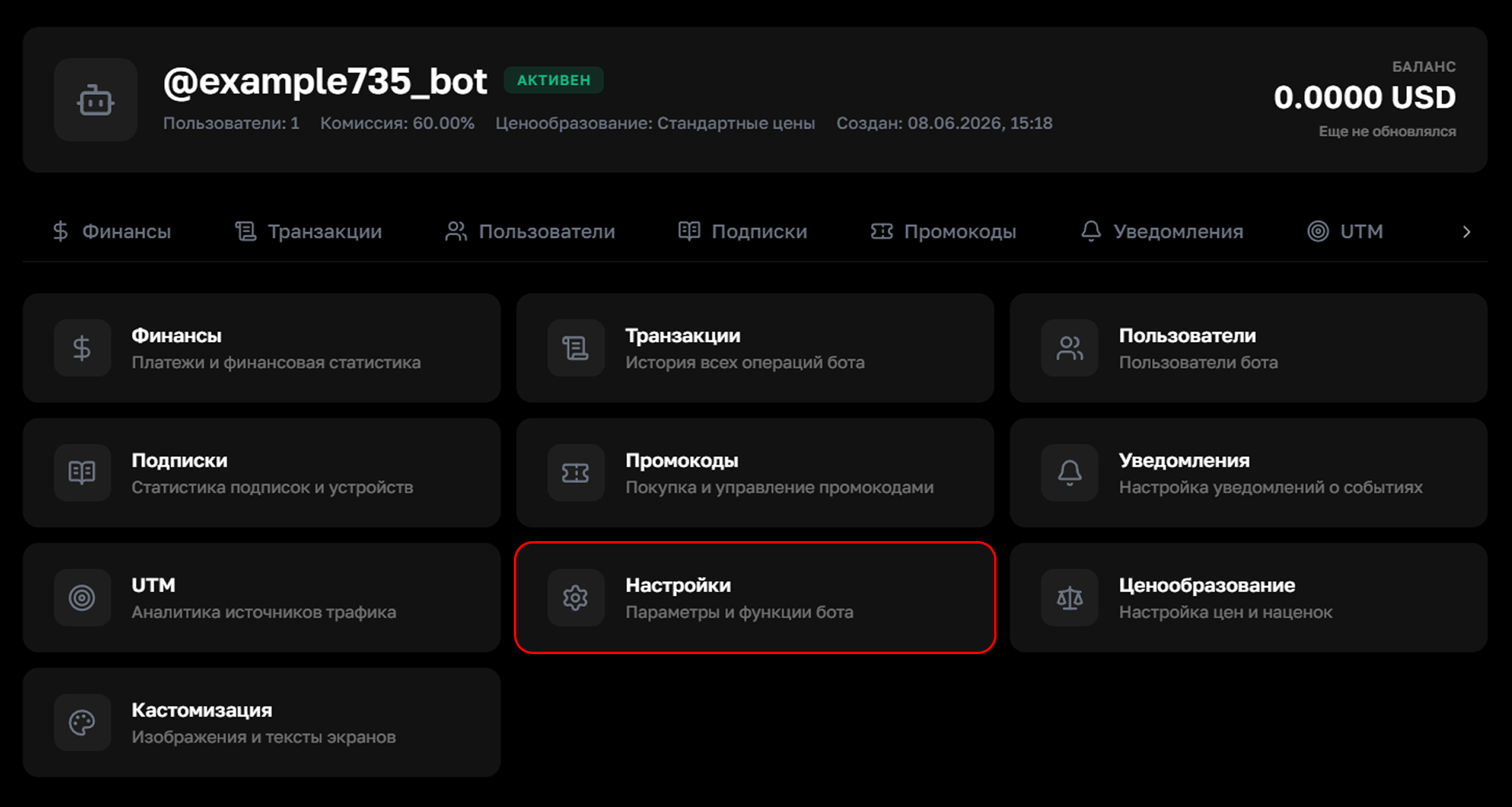
On the bot's page, click on the "Settings" tile
Show screenshot
Step 3. Basic parameters
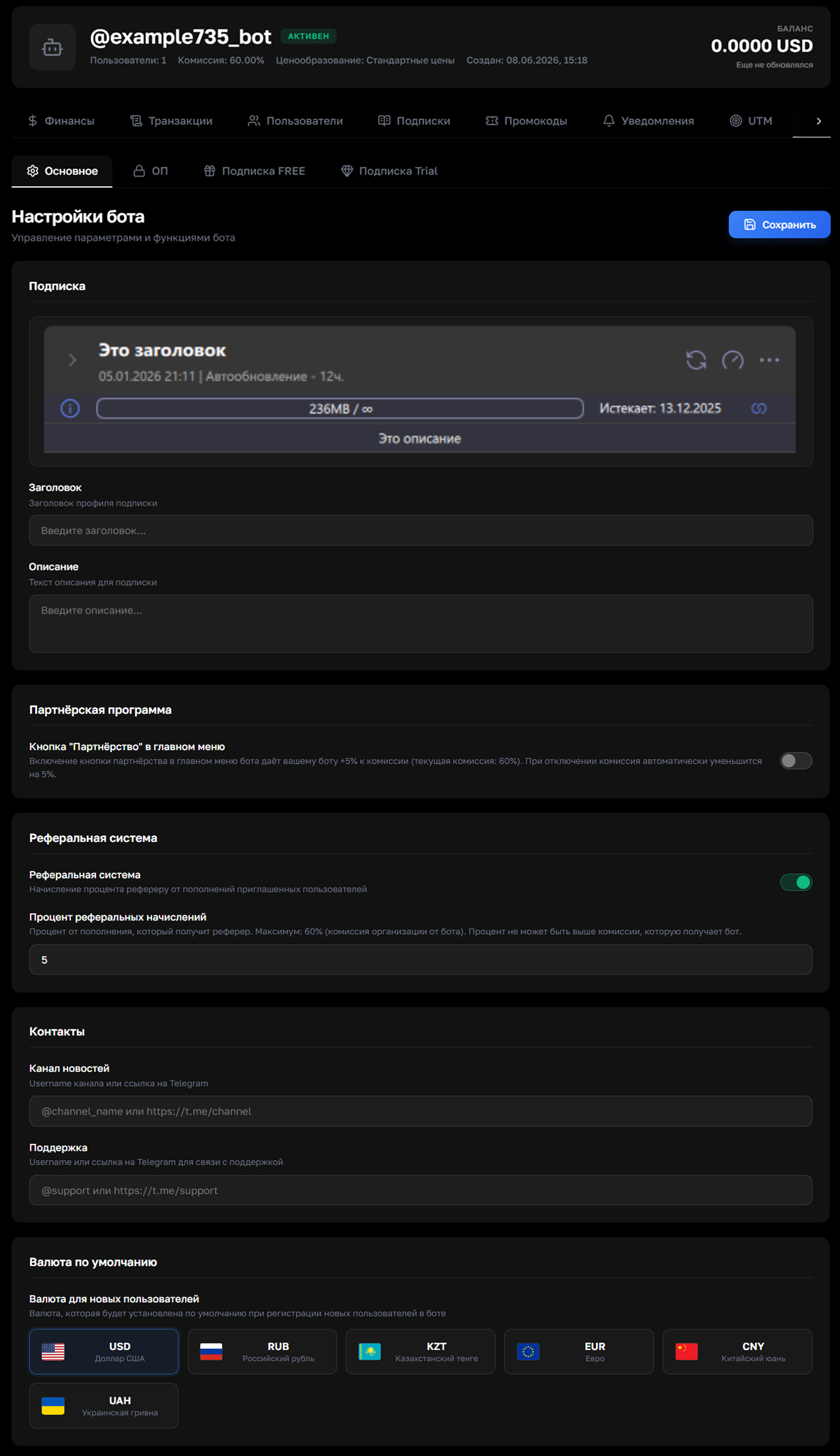
The "Settings" tab provides the following options
Subscription — the title and description of the subscription card that users see in the VPN app
Partner program — enabling the "Partnership" button in the bot's main menu adds +5% to the service commission (you'll receive 5% more from top-ups). Disabling it automatically reduces the commission by 5%
Referral system — enable referrer commission payouts from the top-ups of invited users. The percentage cannot exceed the bot's commission
Contacts — specify the news channel username and support contact that will be displayed in the bot
Default currency — choose the currency for new users upon registration
Once everything is filled in, click "Save"
Show screenshot
Step 4. Mandatory channel subscriptions
On the "MS" (Mandatory Subscriptions) tab, you can require users to join your channels before using the bot. Add up to 10 channels using the add button. Until a user subscribes to all the specified channels, they won't be able to use the bot
Show screenshot
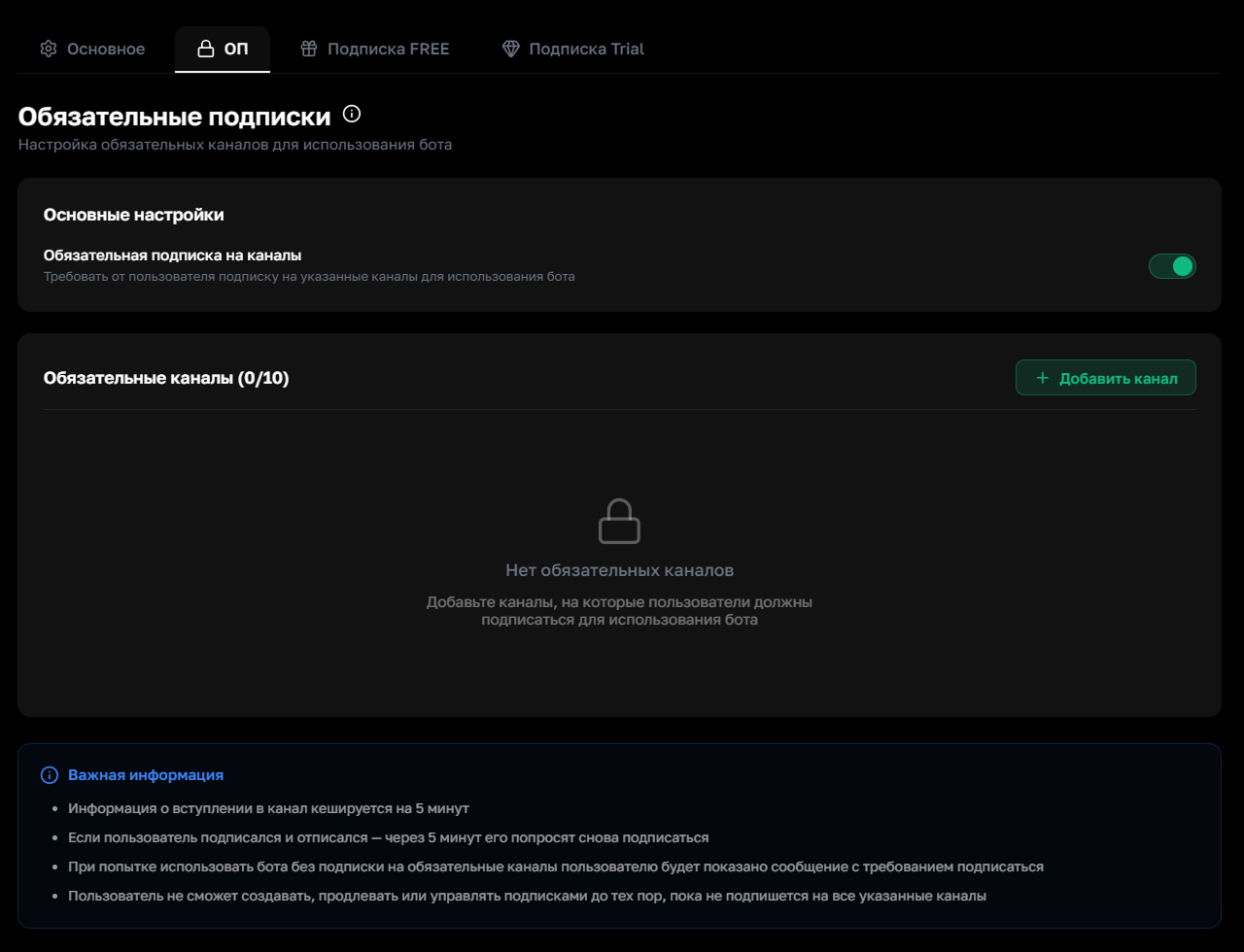
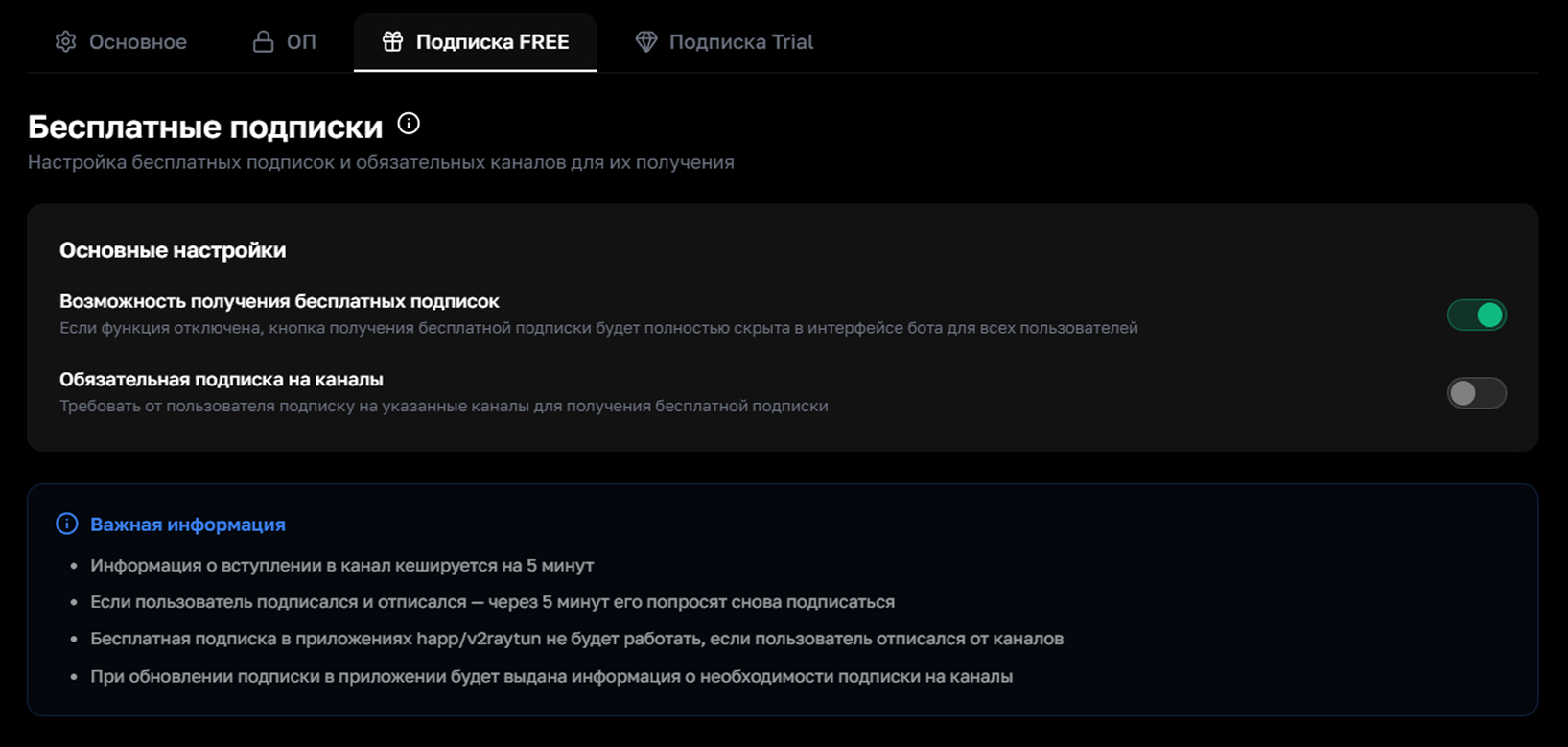
Channel membership information is cached for 5 minutes. If a user subscribes and then unsubscribes, they'll be asked to subscribe again after 5 minutes
Step 5. Free subscriptions
On the "FREE Subscription" tab, you can enable a free subscription button for users. You can also require a mandatory channel subscription to receive it. If this feature is disabled, the free subscription button will be completely hidden in the bot's interface
Show screenshot
Step 6. Trial subscription
On the "Trial Subscription" tab, you can set up a free trial period for new users. Set the duration from 1 to 3 days and choose a plan: Standard (1 device), Pro (5 devices) or Premium (15 devices)
Show screenshot
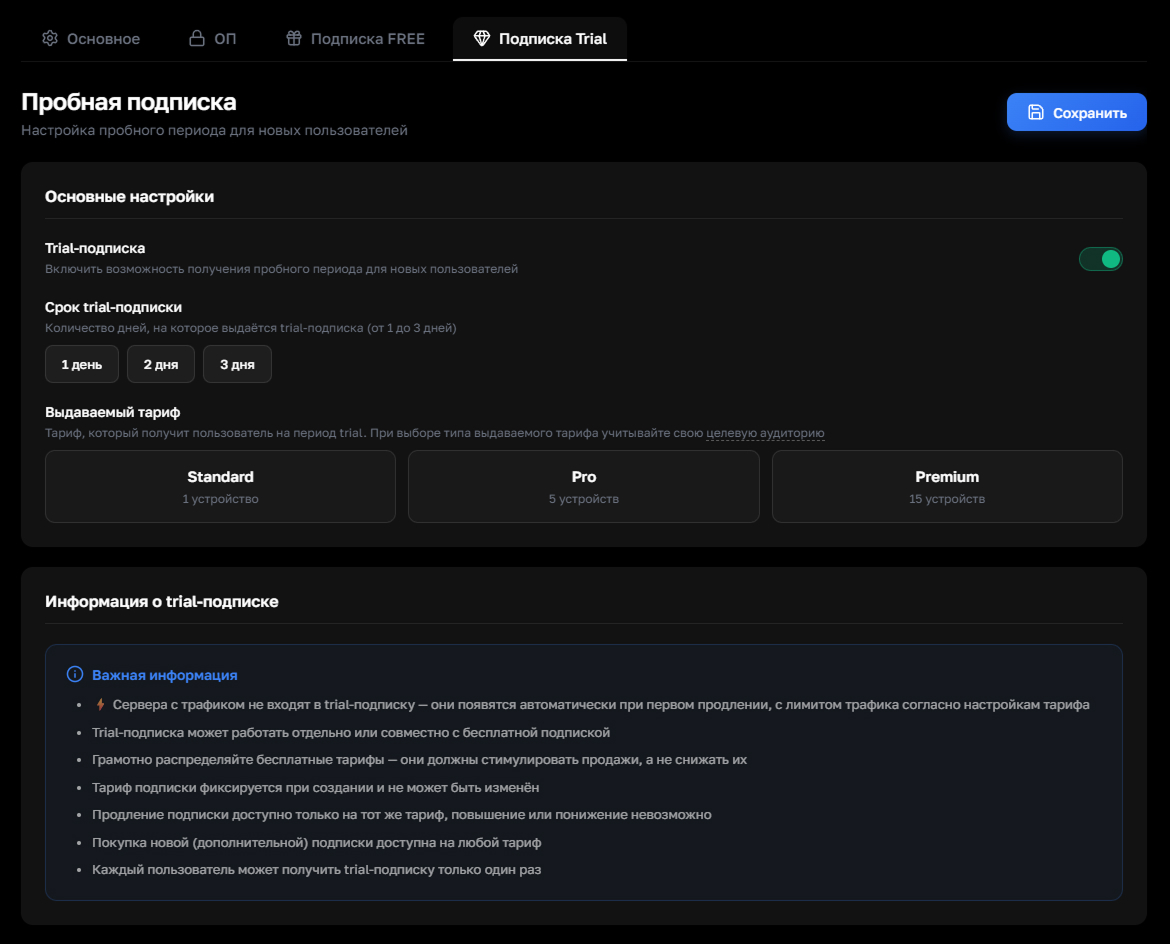
Traffic servers are not included in the trial subscription — they'll appear automatically on the first renewal. Each user can activate the trial only once. The plan is fixed at creation and cannot be changed — renewal is only available on the same plan
Distribute free plans wisely — they should stimulate sales, not reduce them