Withdrawing Your Organization Balance
You can withdraw funds from your organization's balance to a Russian bank card or in USDT on the BEP20 and TRC-20 networks
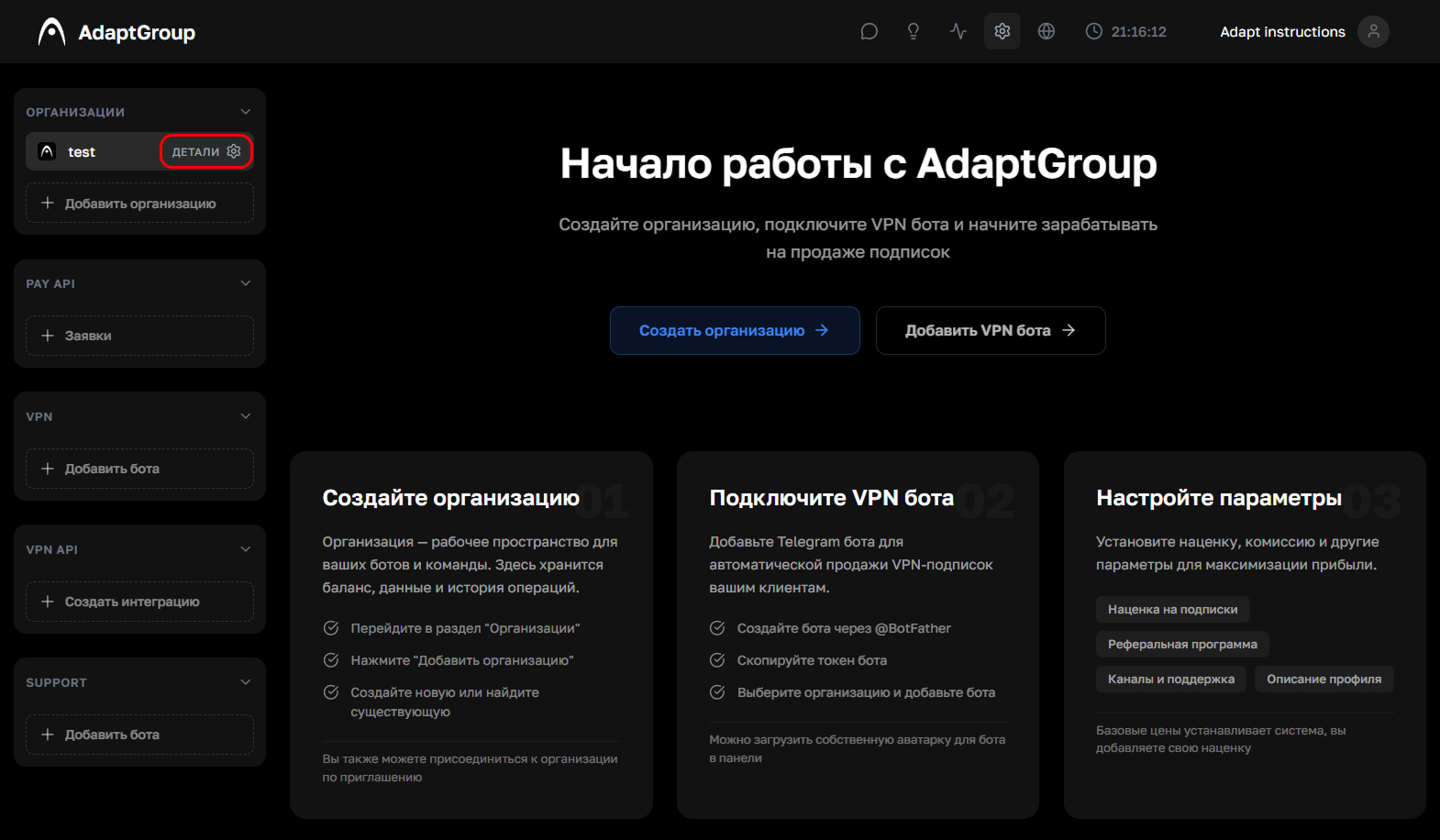
Step 1. Open the organization
In the left sidebar, next to the organization you need, click the "Details" button
Show screenshot
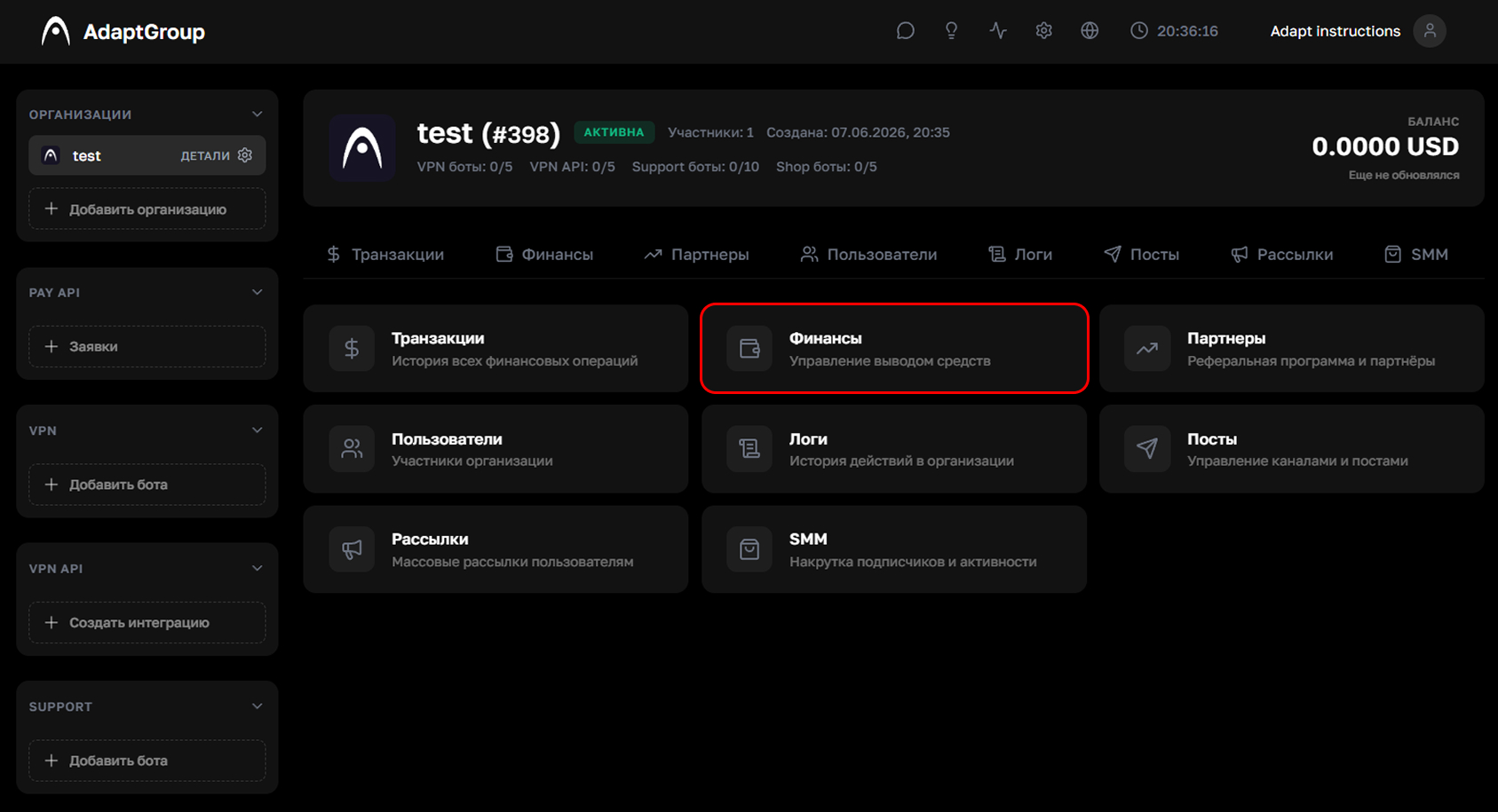
Step 2. Go to the "Finances" section
On the organization page, click on the "Finances" tile, then go to the "Withdrawals" tab
Show screenshot
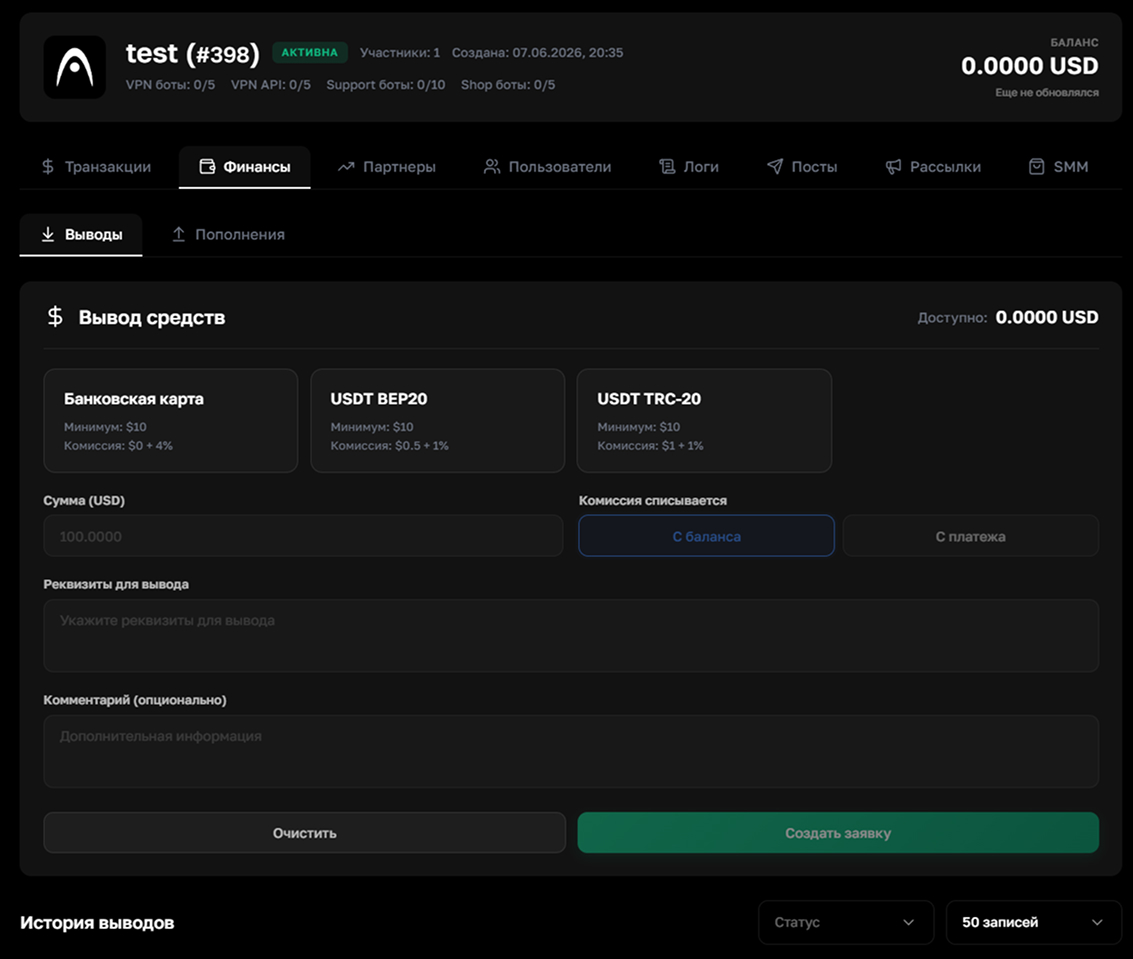
Step 3. Create a withdrawal request
Choose a withdrawal method — bank card, USDT BEP20 or USDT TRC-20. For each method, the minimum amount (from $10) and the commission rate are shown
Fill in the amount, specify your wallet or card details and add a comment if you wish. Also choose where the commission will be deducted from — "From balance" or "From payment"
After filling everything in, click "Create Request". The history of all withdrawals with status filtering is displayed at the bottom of the page
Show screenshot