Topping Up Your Organization Balance
You can top up your organization's balance via SBP, CryptoBot or Heleket
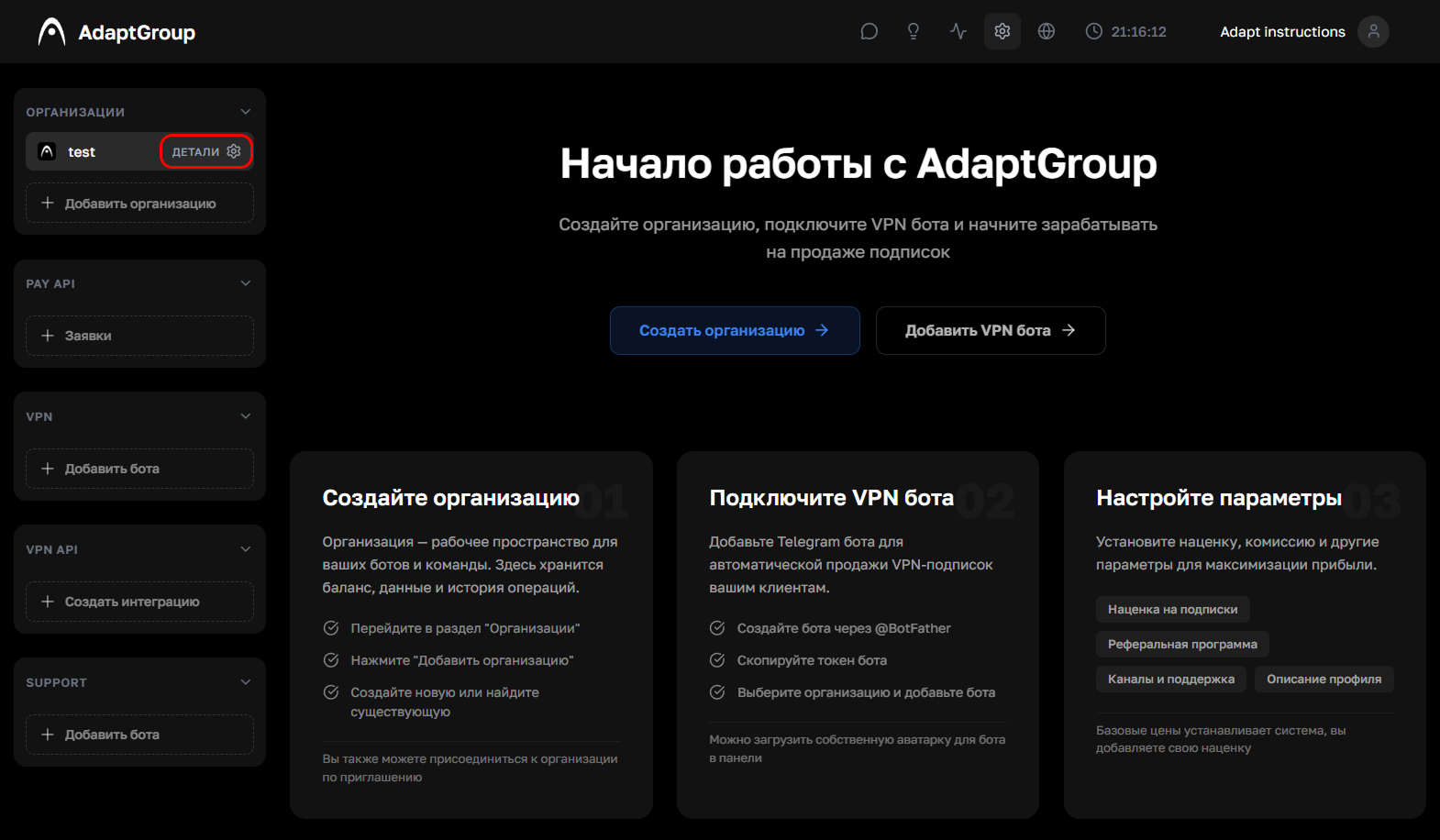
Step 1. Open the organization
In the left sidebar, next to the organization you need, click the "Details" button
Show screenshot
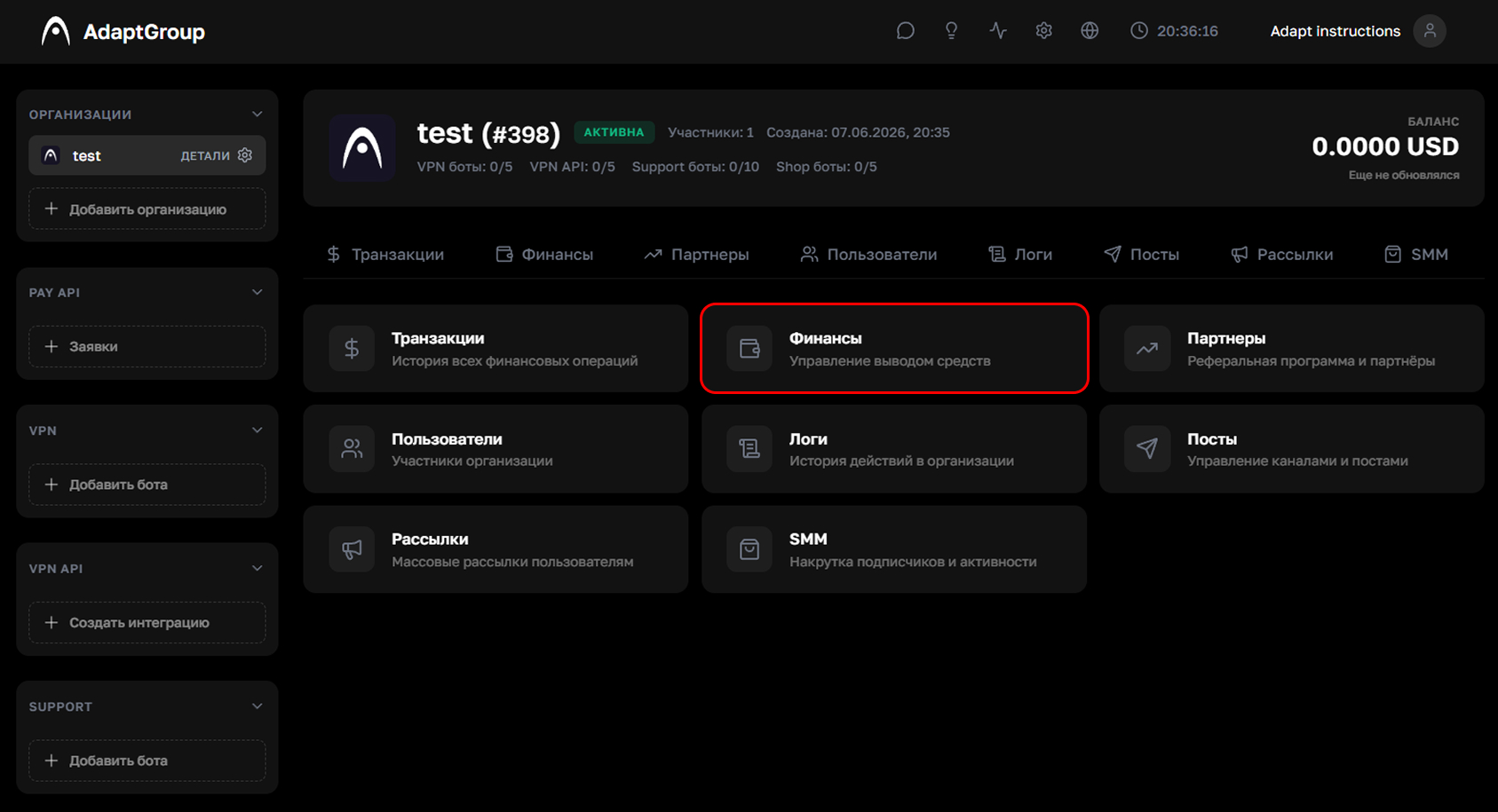
Step 2. Go to the "Finances" section
On the organization page, click on the "Finances" tile
Show screenshot
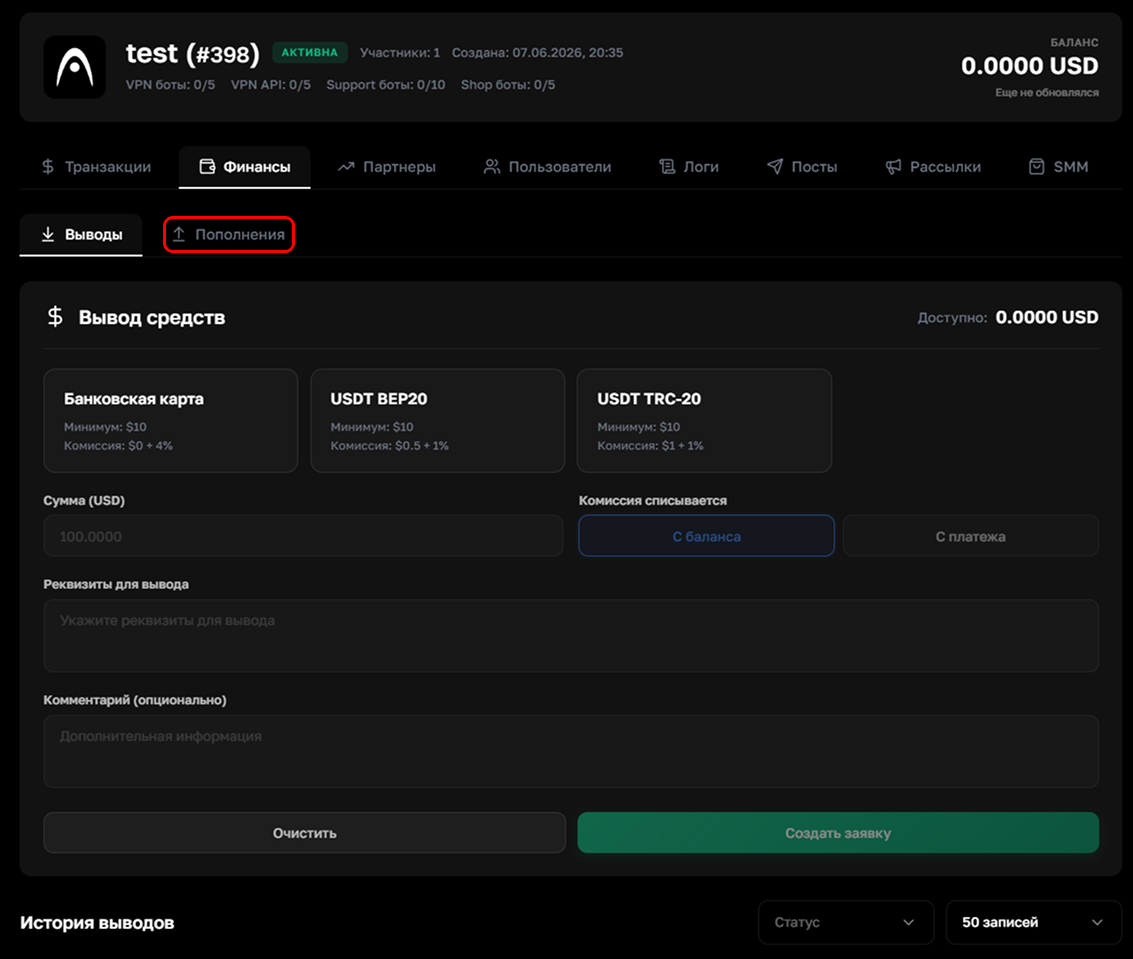
Step 3. Go to the "Top-ups" tab
In the "Finances" section, switch to the "Top-ups" tab
Show screenshot
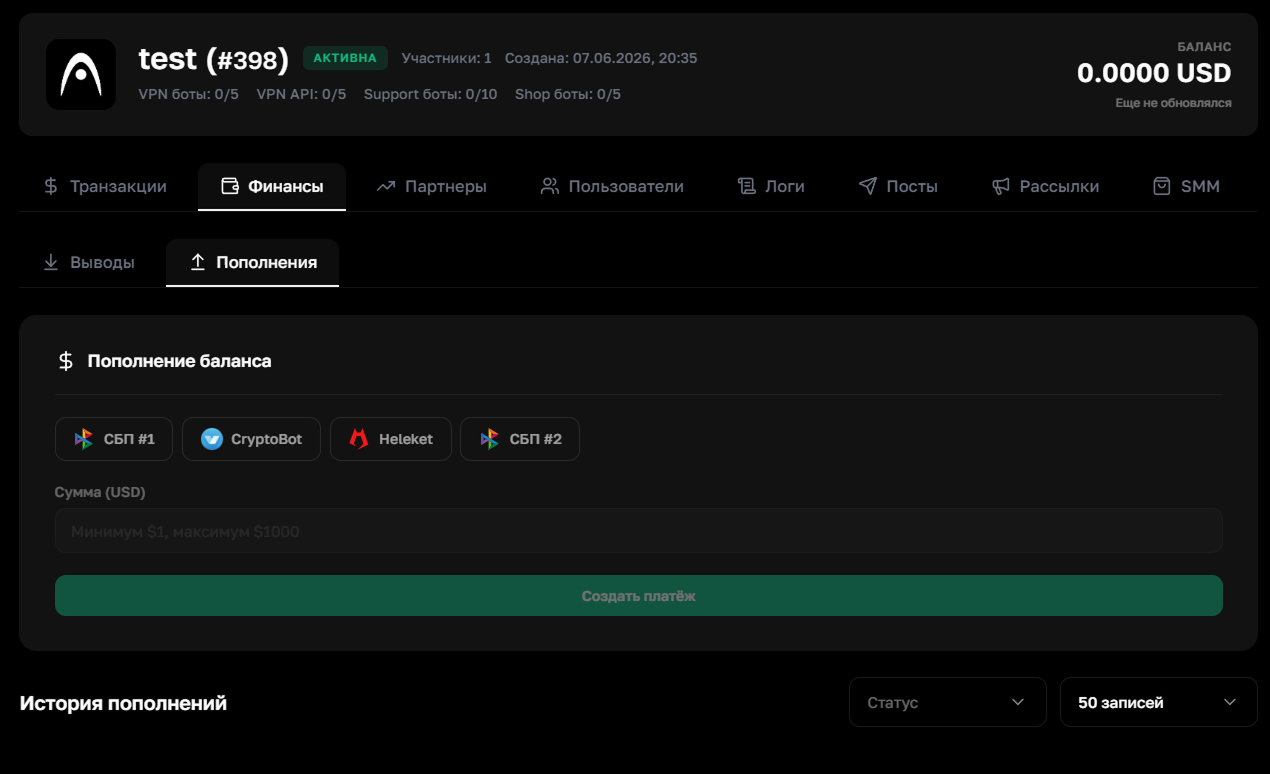
Step 4. Create a payment
Choose a convenient payment method — SBP, CryptoBot or Heleket. Enter the amount in dollars (from $1 to $1000) and click "Create Payment". The history of all top-ups is displayed at the bottom of the page
Show screenshot