Partner Referral System
The referral program lets you earn a percentage from the payments of users who registered through your link or entered your referral code
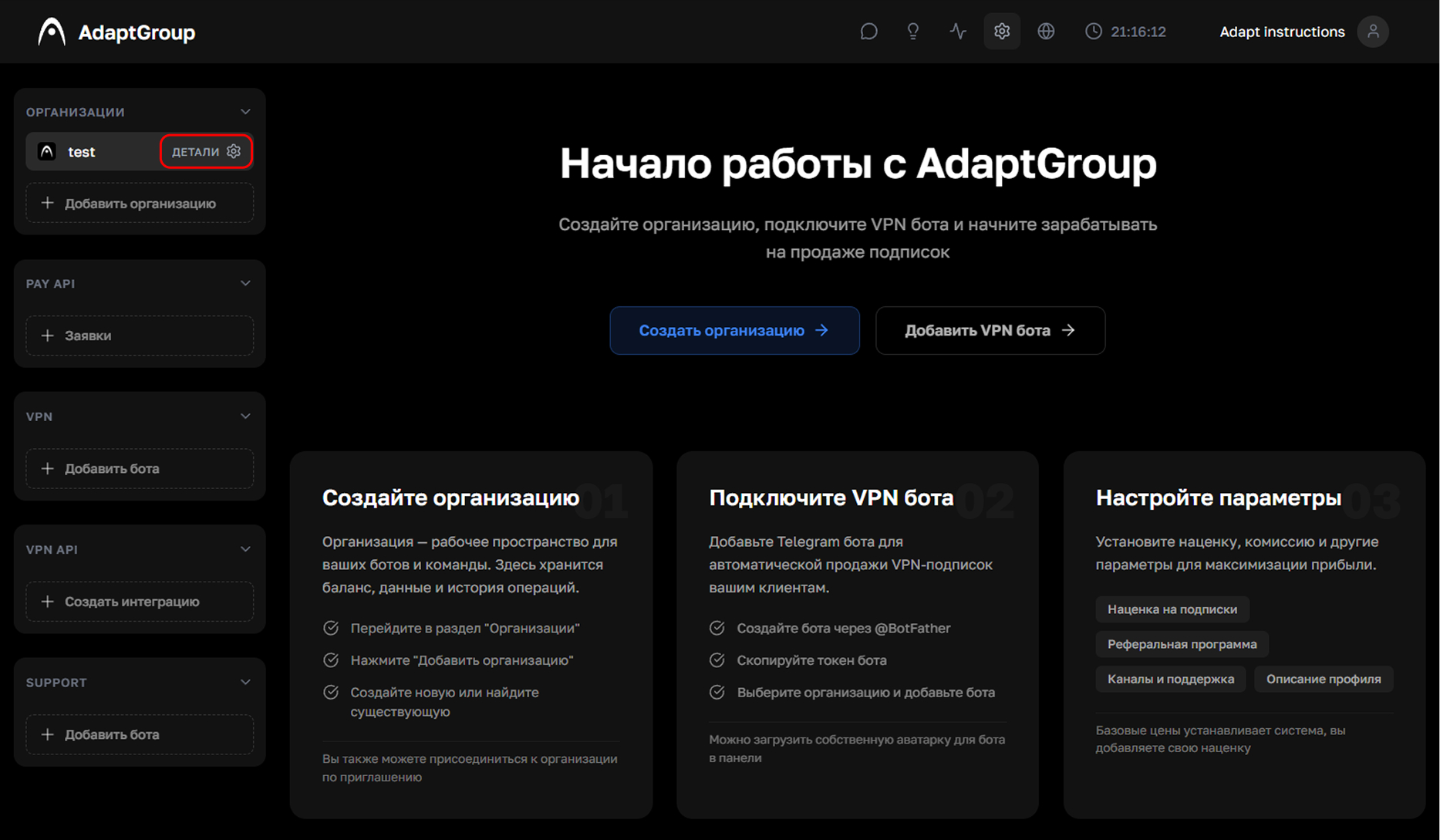
Step 1. Open the organization
In the left sidebar, next to the organization you need, click the "Details" button
Show screenshot
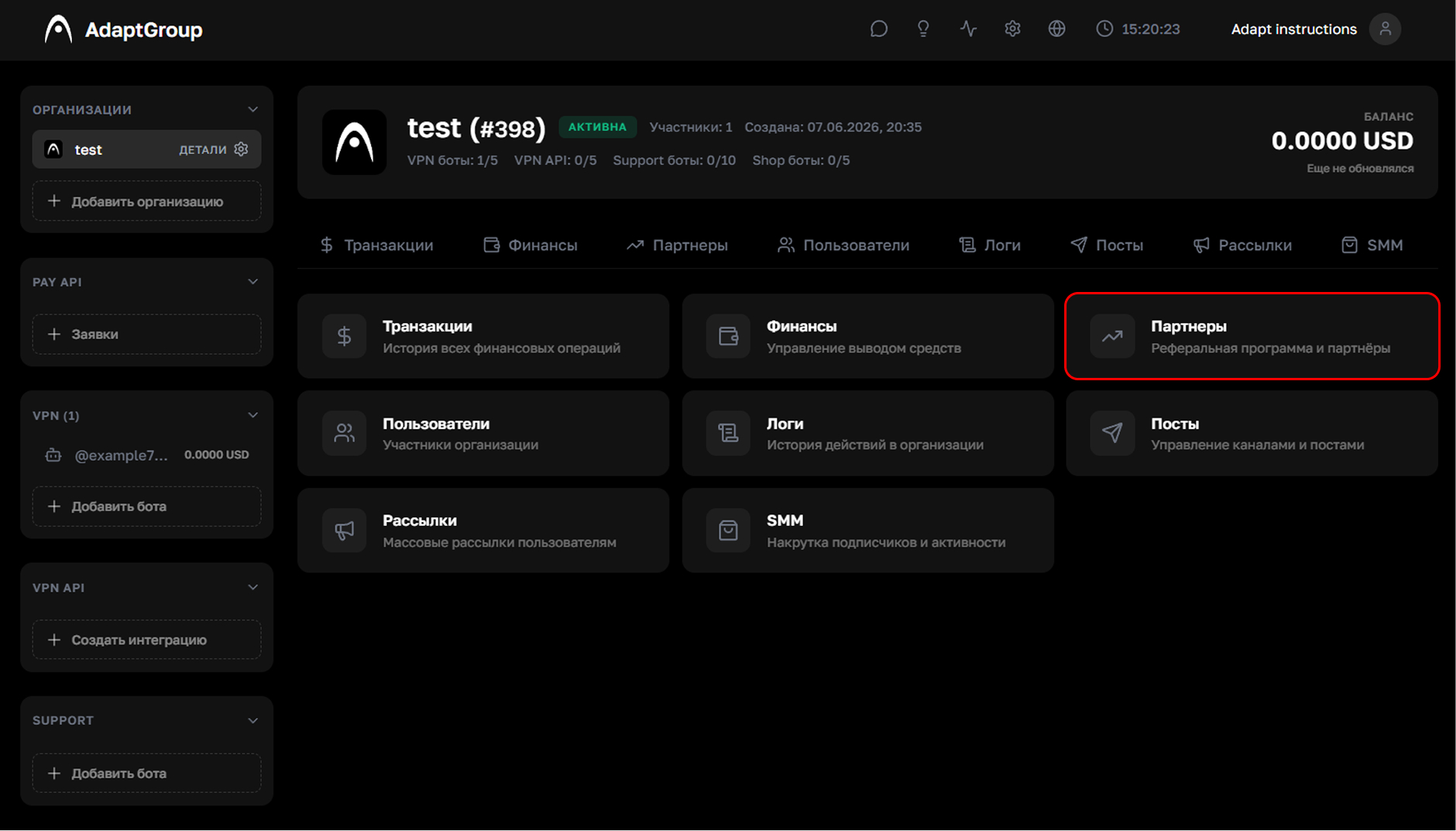
Step 2. Go to the "Partners" section
On the organization page, click on the "Partners" tile
Show screenshot
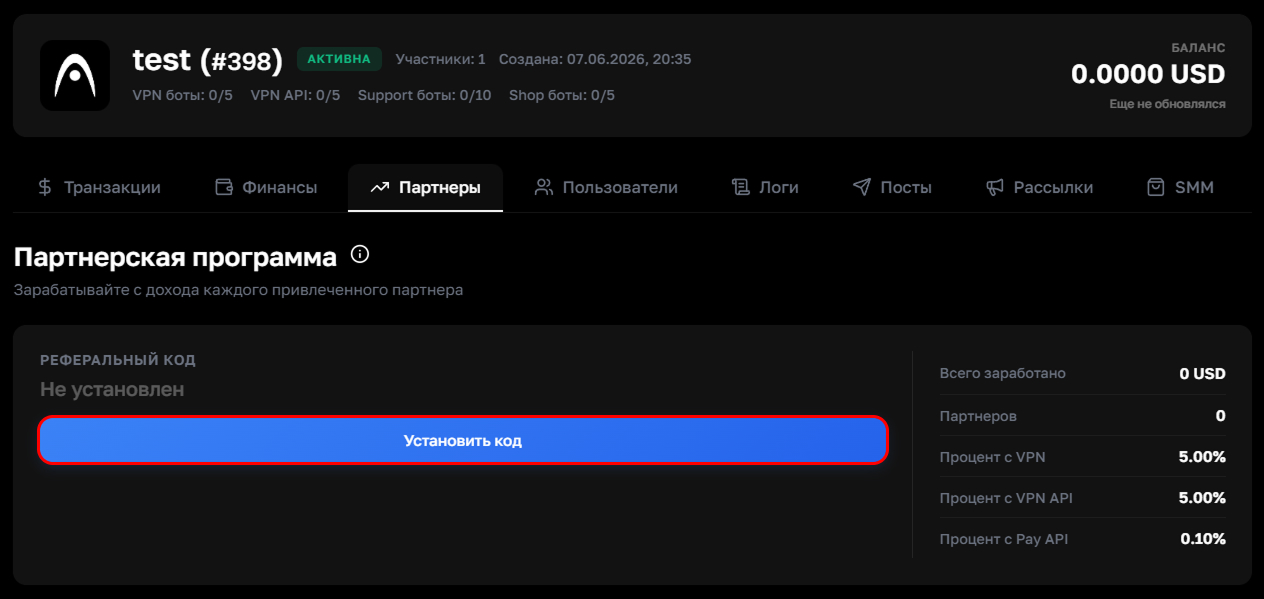
Step 3. Set up your referral code
Click "Set Code" and come up with your own unique referral code. The right block displays partner network statistics — earnings, number of referred participants, and commission rates for various platform services
Show screenshot
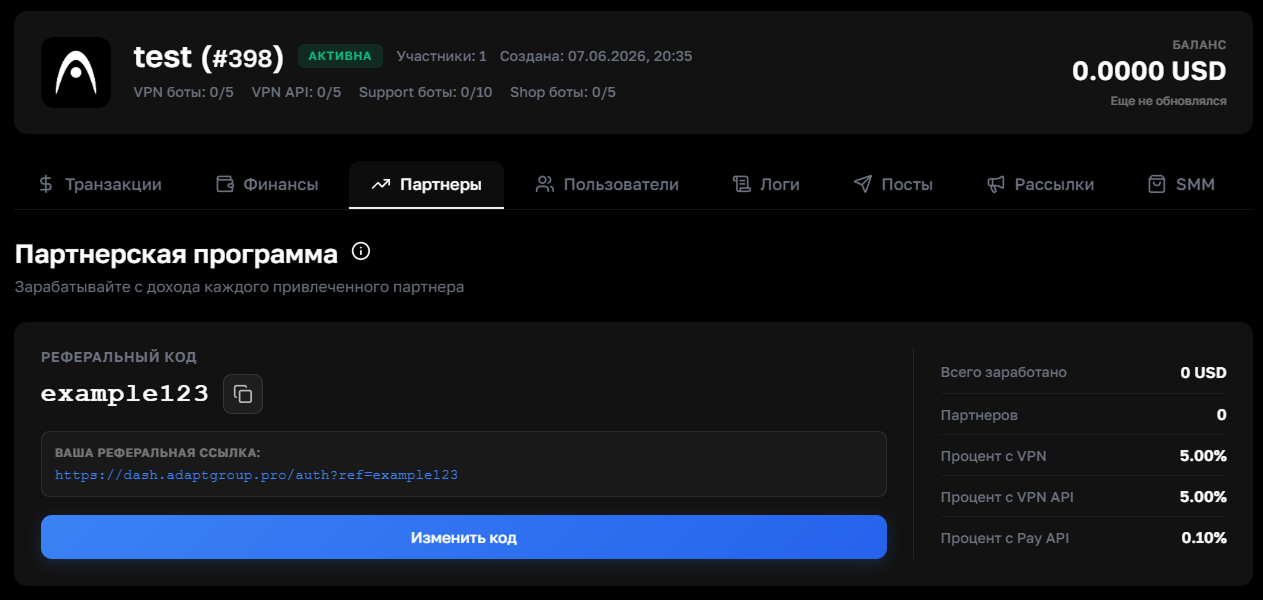
Step 4. Share your referral link
After setting the code, a ready-made referral link will appear in the left block. It can be copied with a single click and shared with other users. If needed, the code can be changed using the "Change Code" button
Show screenshot