Organization Logs
The logs record all actions within the organization — creation, settings changes, adding bots and other events
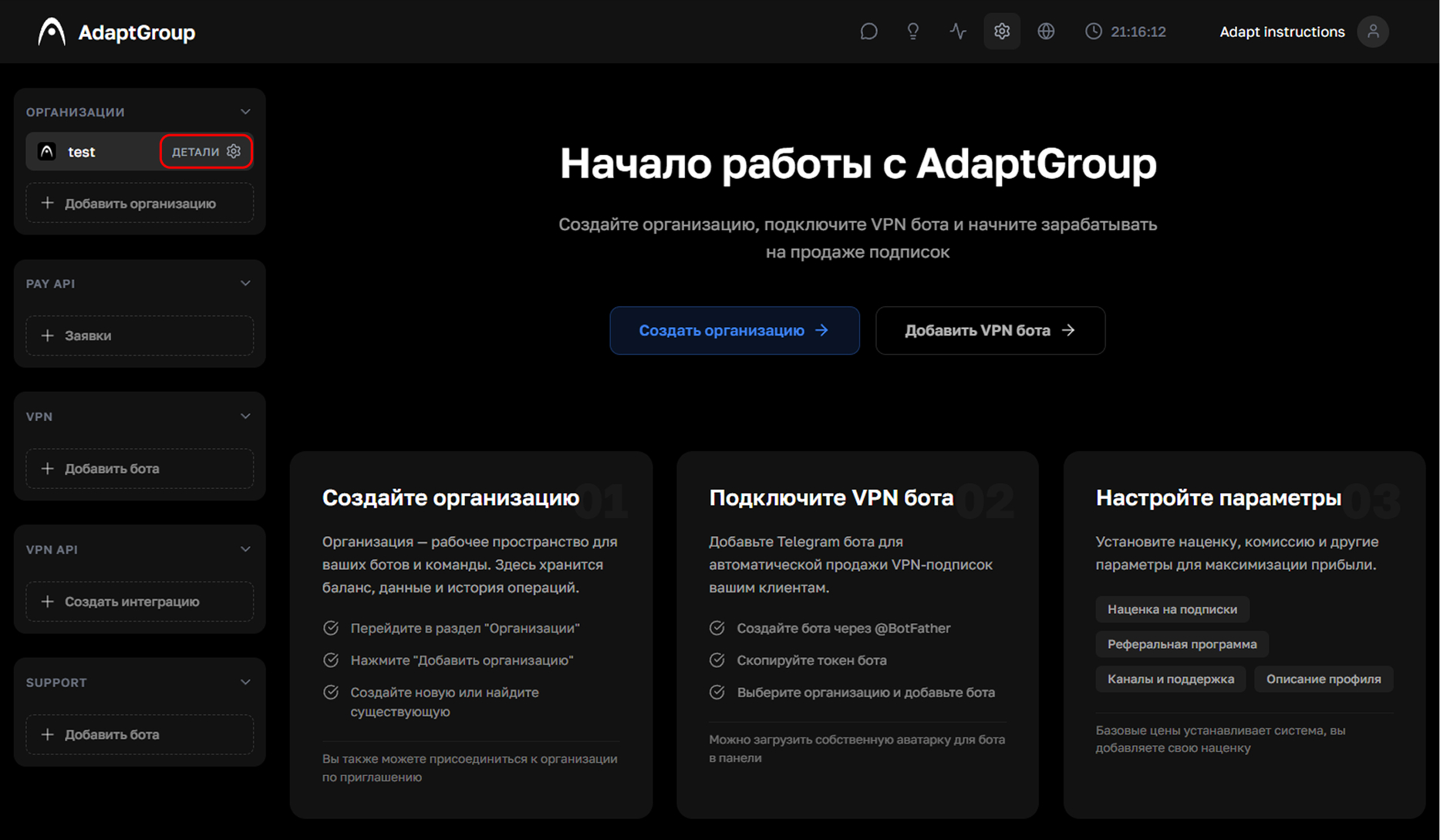
Step 1. Open the organization
In the left sidebar, next to the organization you need, click the "Details" button
Show screenshot
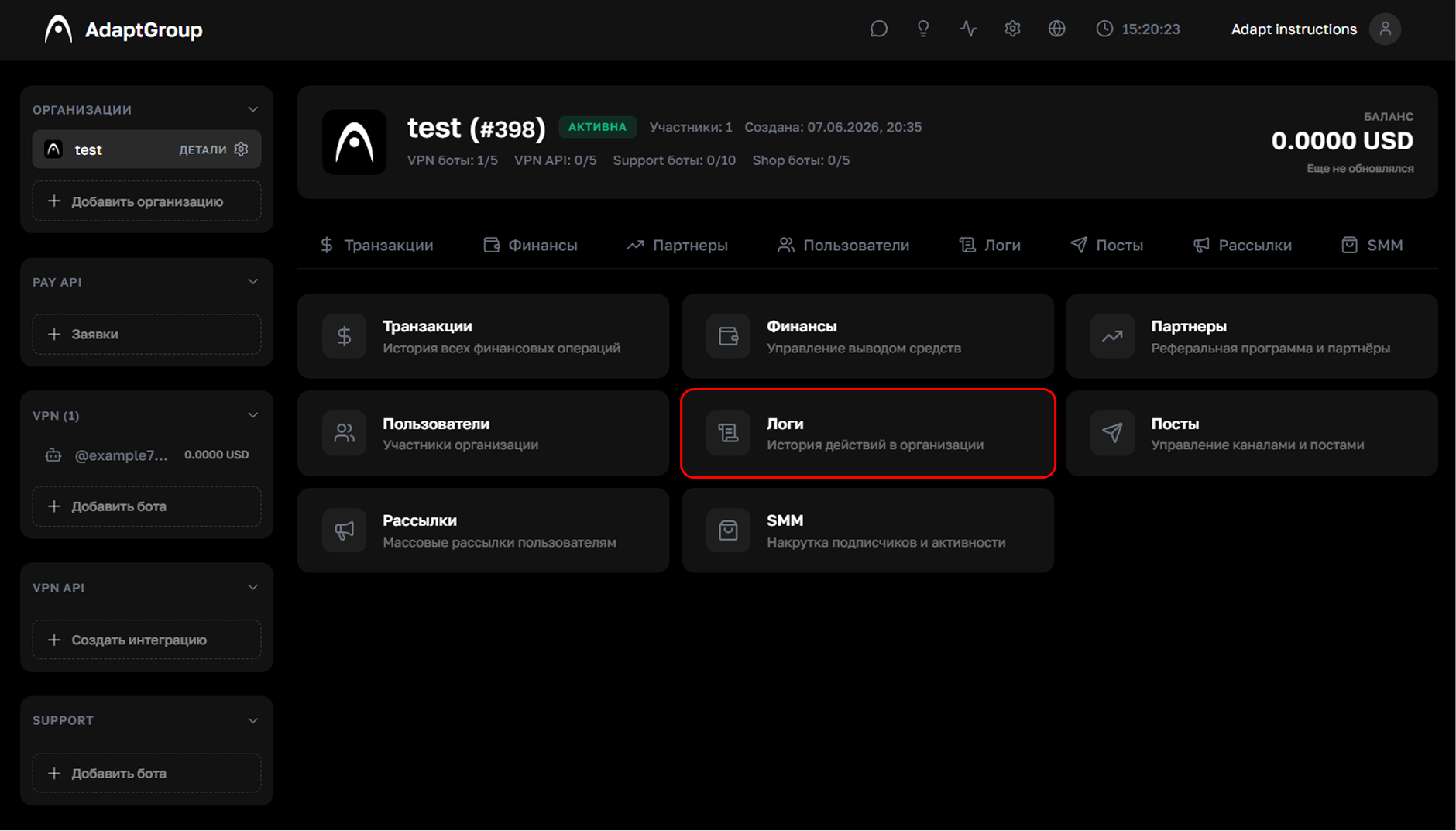
Step 2. Go to the "Logs" section
On the organization page, click on the "Logs" tile
Show screenshot
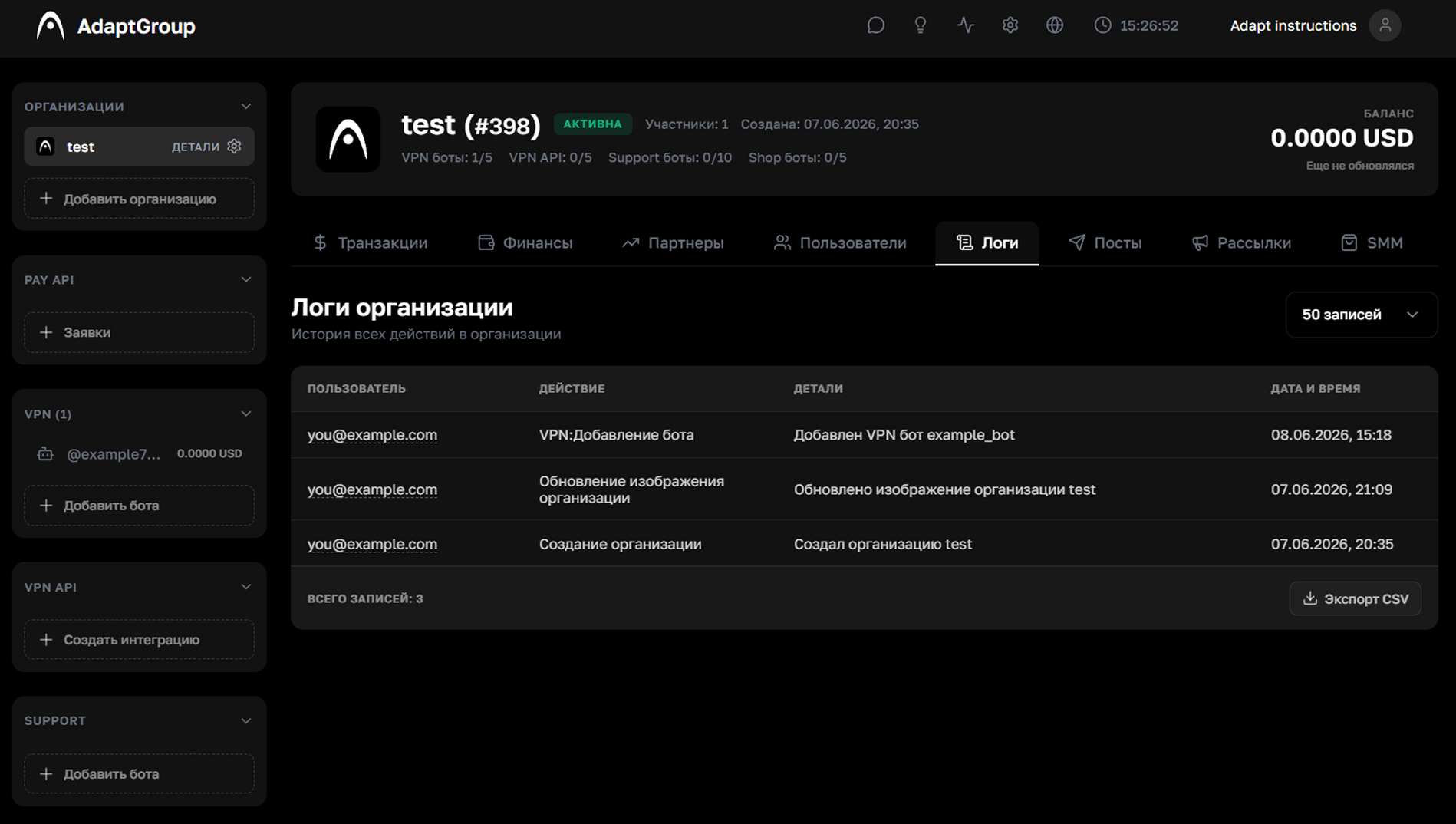
Step 3. Review the action history
The table displays all events for the organization — a description of the action, the user who performed it, and the exact date. The number of rows per page can be adjusted using the selector in the top right corner
If you need to export the history, click the "Export" button in the bottom right corner — the data will be saved as a CSV file
Show screenshot