Linking Telegram, Google or Yandex
You can link Telegram, Google and Yandex to your account. After linking, you'll be able to log in through these services, as well as receive confirmation codes in Telegram
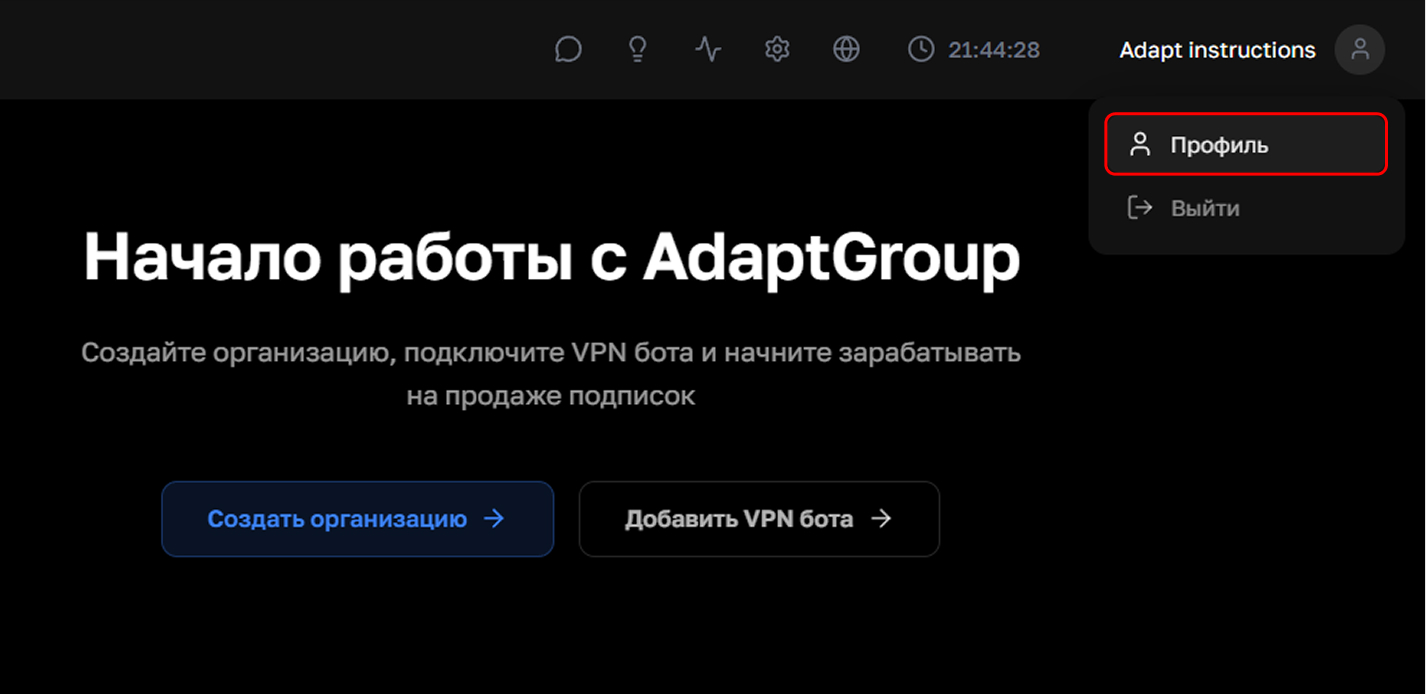
Step 1. Open your profile
Click on the profile icon in the top right corner and select "Profile"
Show screenshot
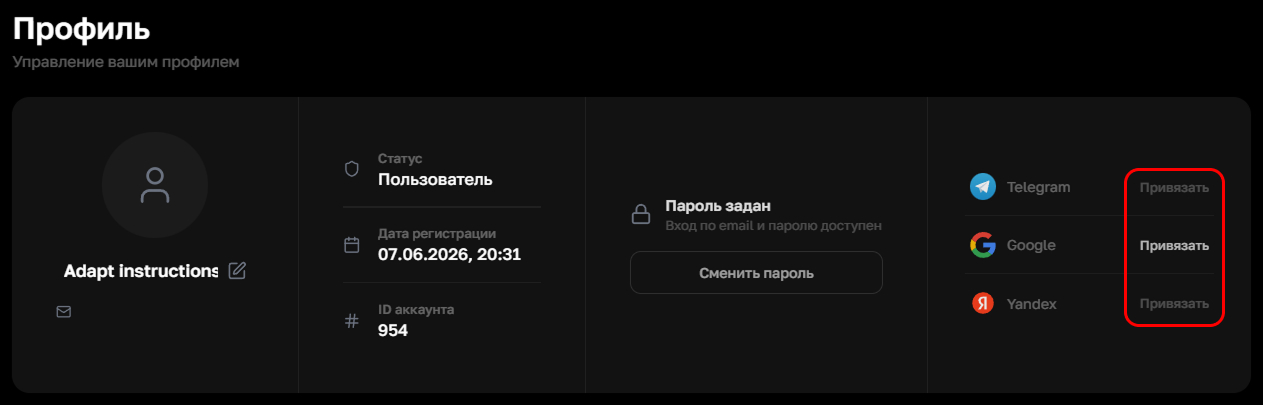
Step 2. Link the service you need
The right block of the profile page contains a section with services for linking. Click "Link" next to the service you need and follow the further instructions on the linking page
Show screenshot
Information
You can link several services at the same time