Password Recovery
If you forgot your password, you can reset it right from the login page. The whole process takes a couple of minutes
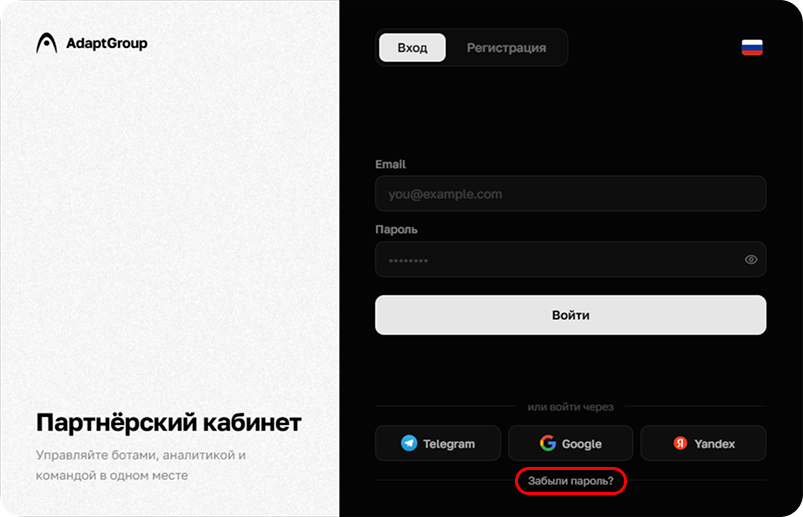
Step 1. Go to the login page
At the bottom of the login page, find the "Forgot password?" button and click on it
Show screenshot
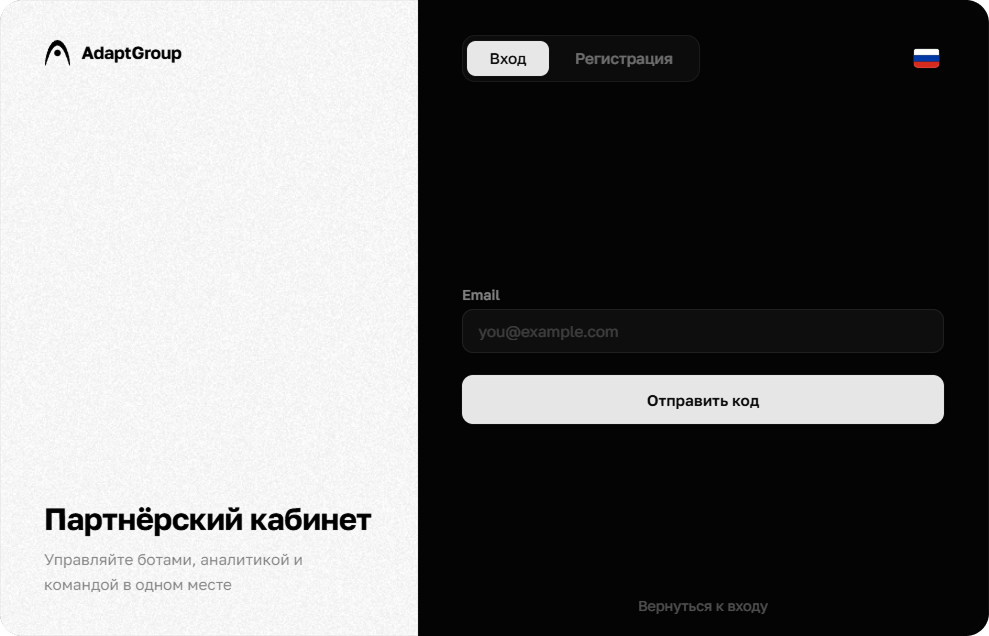
Step 2. Enter your email
Enter the email associated with your account and click "Send Code". A confirmation code will be sent to it. If you want to go back, use the "Back to login" link
Show screenshot
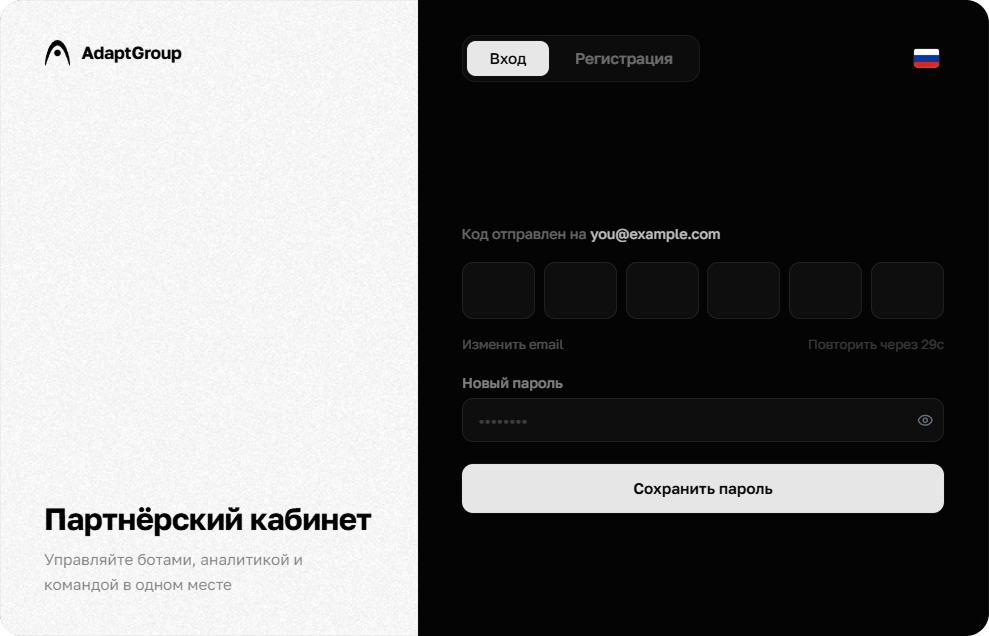
Step 3. Enter the code and a new password
Open the email and enter the six-digit confirmation code into the corresponding cells. Then come up with a new password, enter it in the field below and click "Save Password"
Show screenshot
Information
The email with the code may arrive within a few minutes. If you don't see it, check your "Spam" folder