IP, Domain or ASN Lookup
This tool allows you to check any IP address, domain name or autonomous system number (ASN). It's useful when you need to find out the geolocation, provider, host reputation or network structure
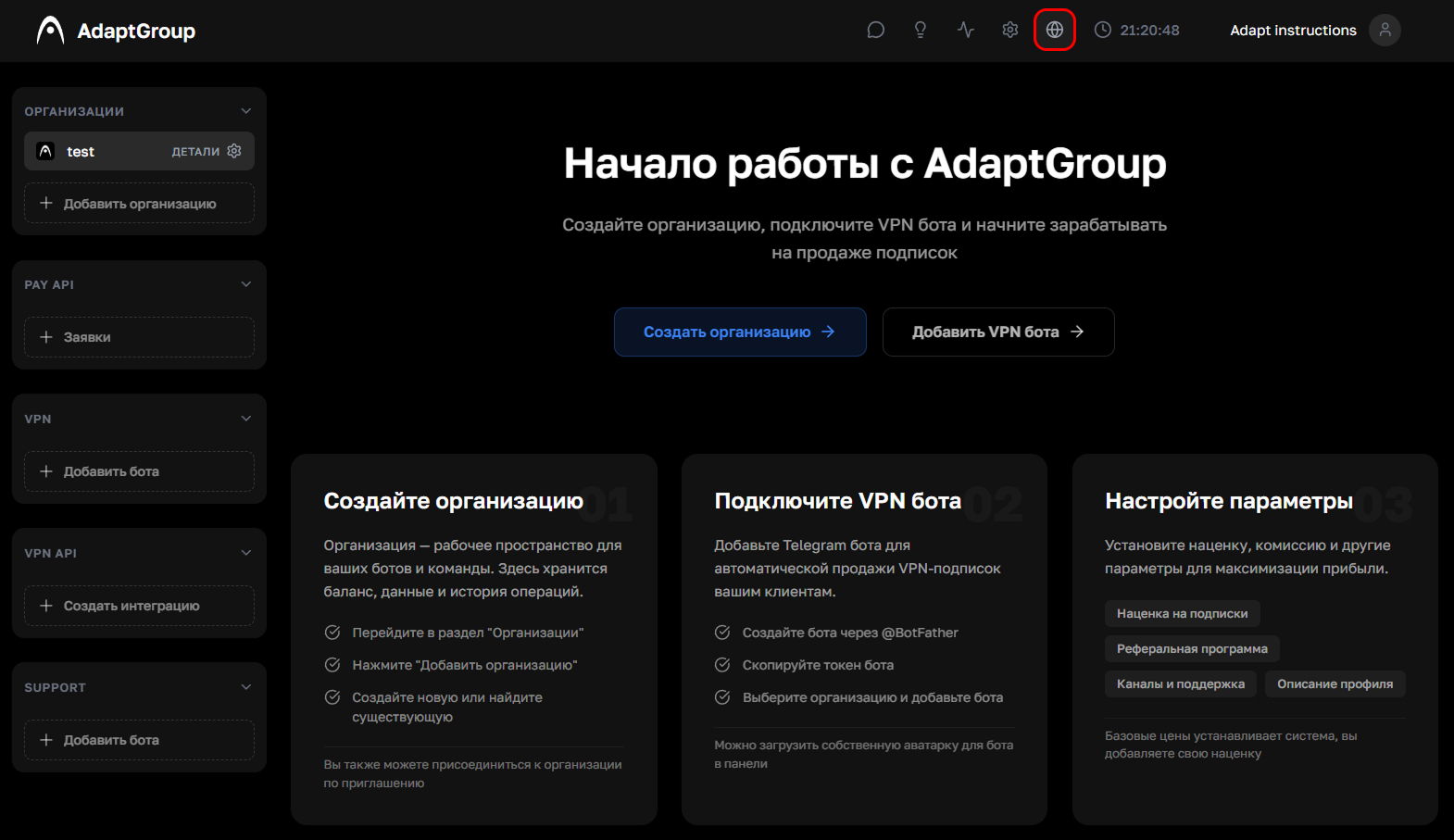
Step 1. Open the lookup tool
Click on the globe icon in the top navigation bar
Show screenshot
Step 2. Enter your query
In the input field, enter the IP address, domain name or ASN number and click "Check"
Show screenshot

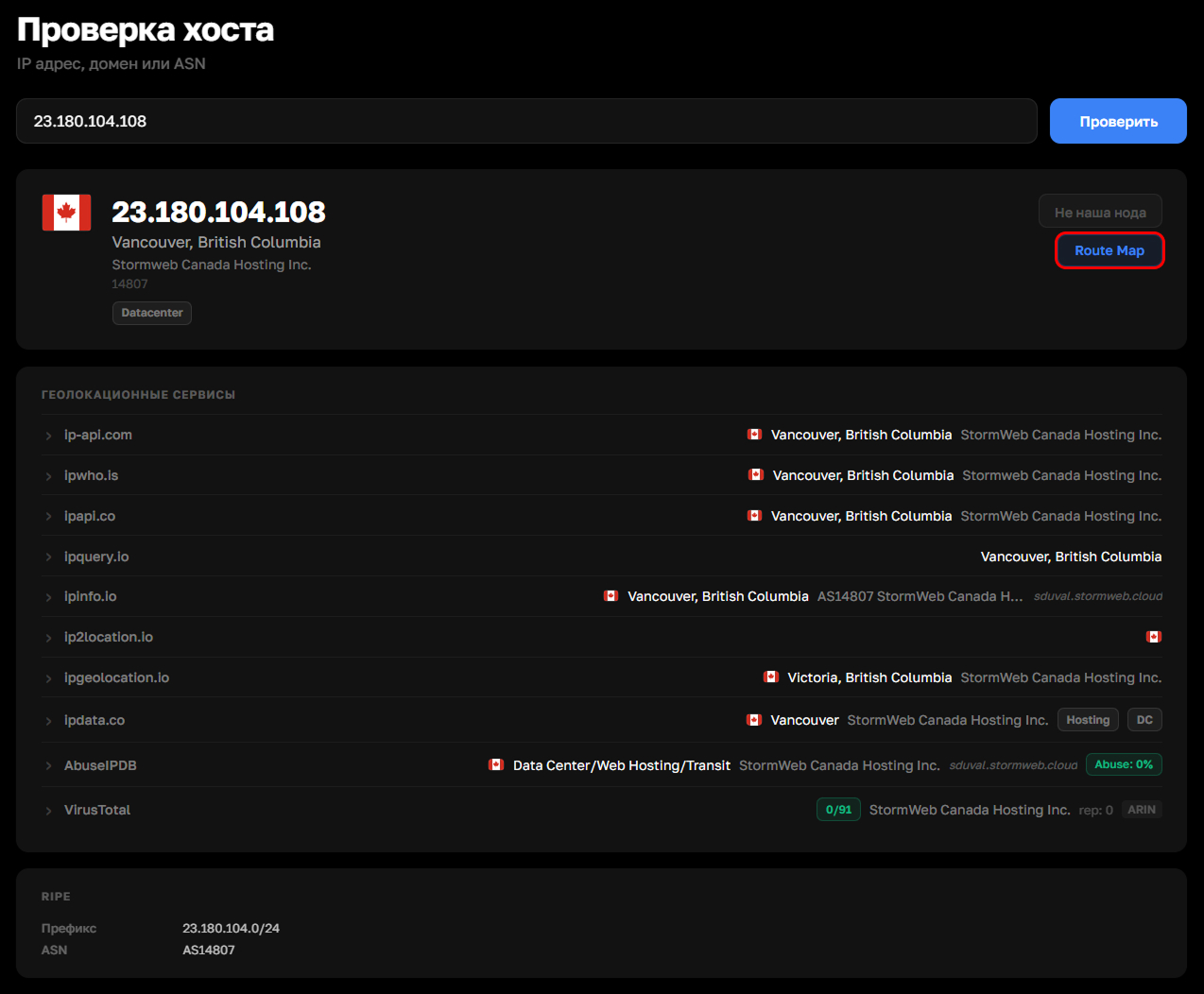
Step 3. IP lookup results
After checking an IP address, a summary card is displayed with the geolocation, provider and country. Below that, data from several independent geolocation services is shown, as well as the host reputation status — presence of threats and address cleanliness. At the very bottom, technical information from the RIPE registry is displayed: the network prefix and autonomous system number
Show screenshot
Step 4. Route Map
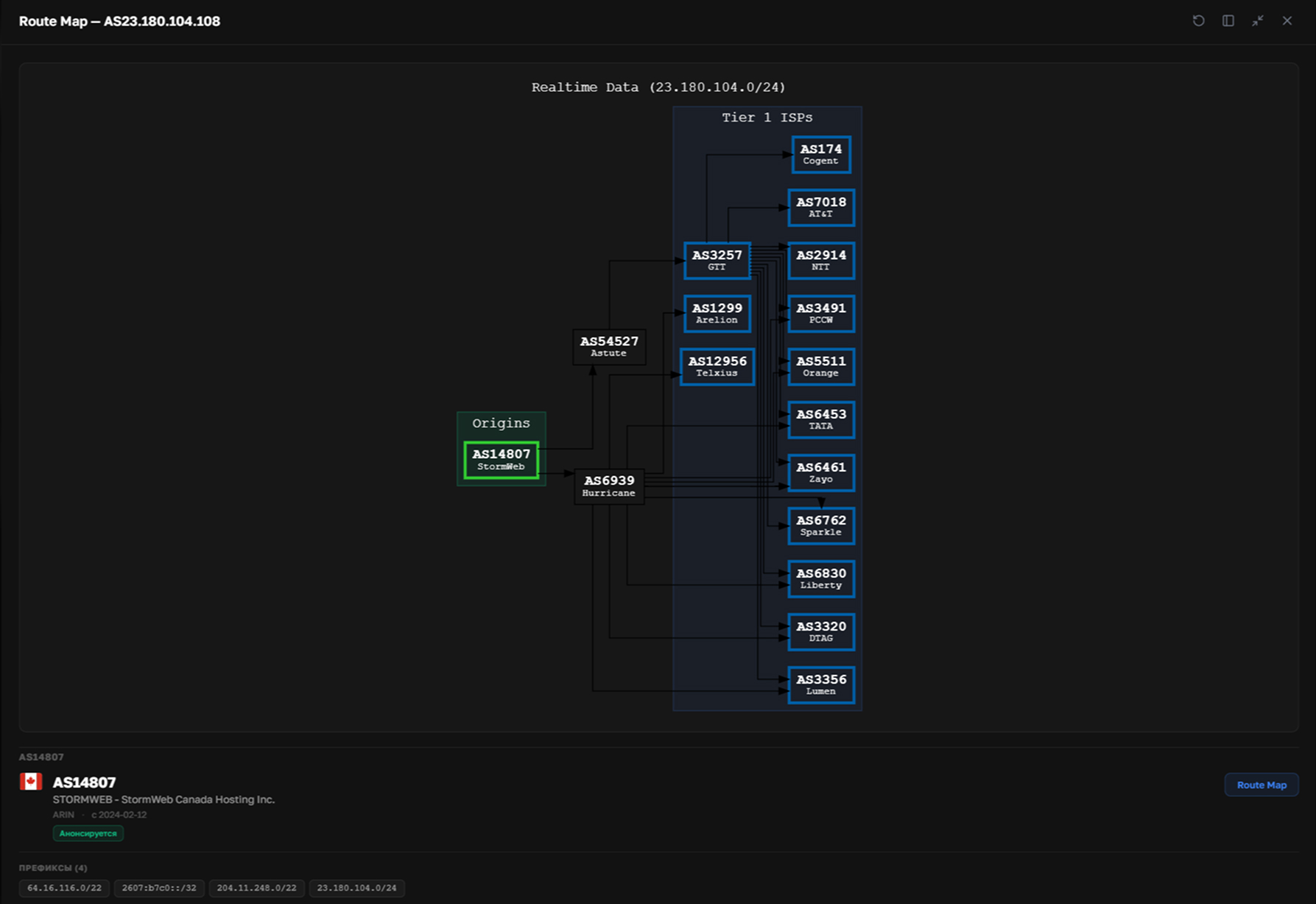
From the results card, you can open an interactive BGP route map. It visually displays a connectivity graph of autonomous systems: where the route is announced from, which transit providers the traffic passes through, and which Tier 1 backbone operators it reaches. Here you can also see upstreams (providers that provide transit), downstreams (networks that depend on this provider), and peers (networks that exchange traffic on equal terms)
Show screenshot
Step 5. Domain lookup results
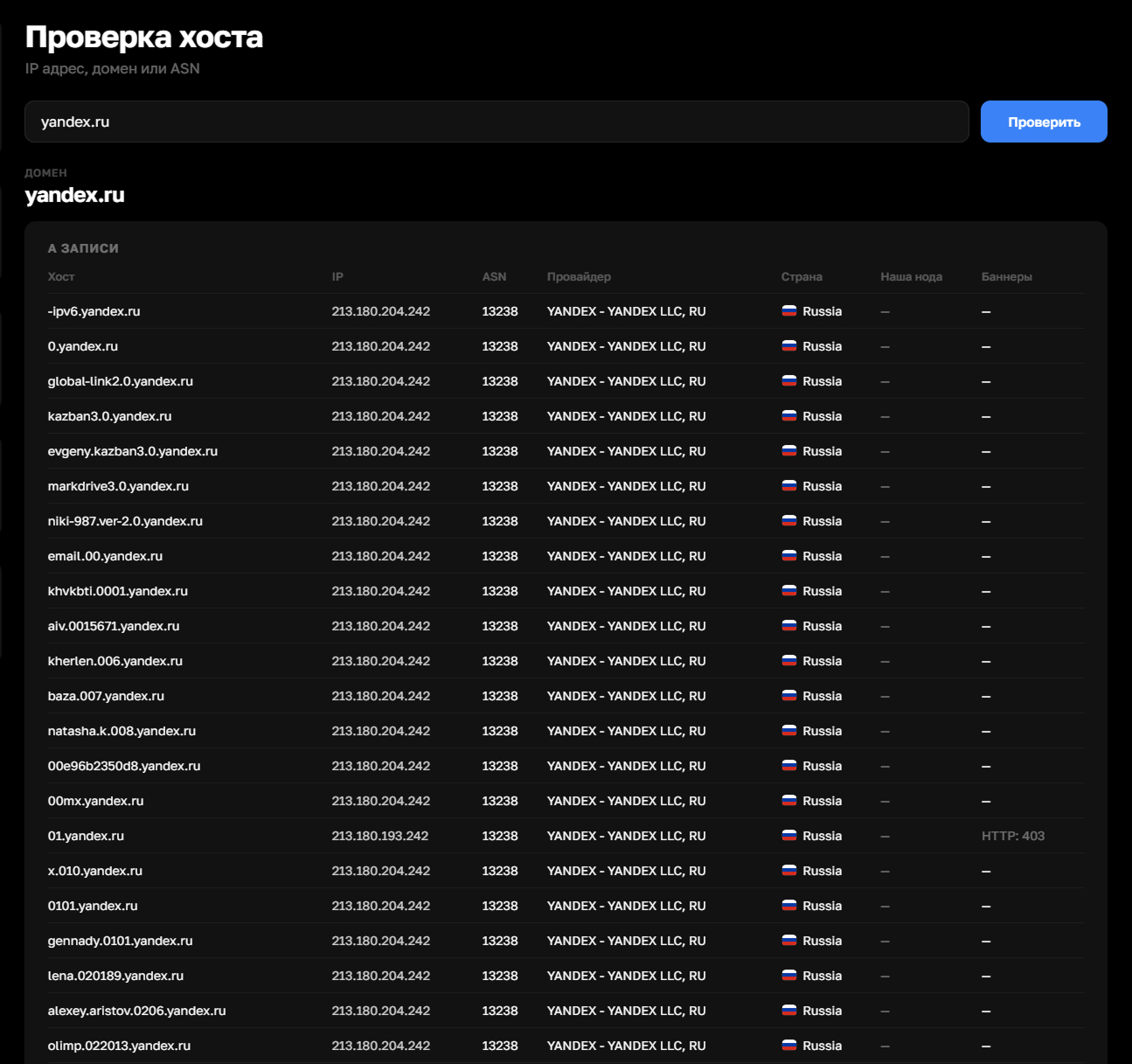
When checking a domain, several types of DNS records are displayed
A records — a list of all IP addresses the domain points to. For each one, the ASN, provider, country and banners (e.g. HTTP server response) are shown
MX records — the domain's mail servers with their priority, IP address and provider
NS records — name servers serving the domain, with their IP and provider
TXT records — text records of the domain. Here you can see the SPF policy for email, as well as verification codes for Google, Facebook and other services
Whois — domain registration data: registrar, creation date, expiration date, name servers and current status
Show screenshot
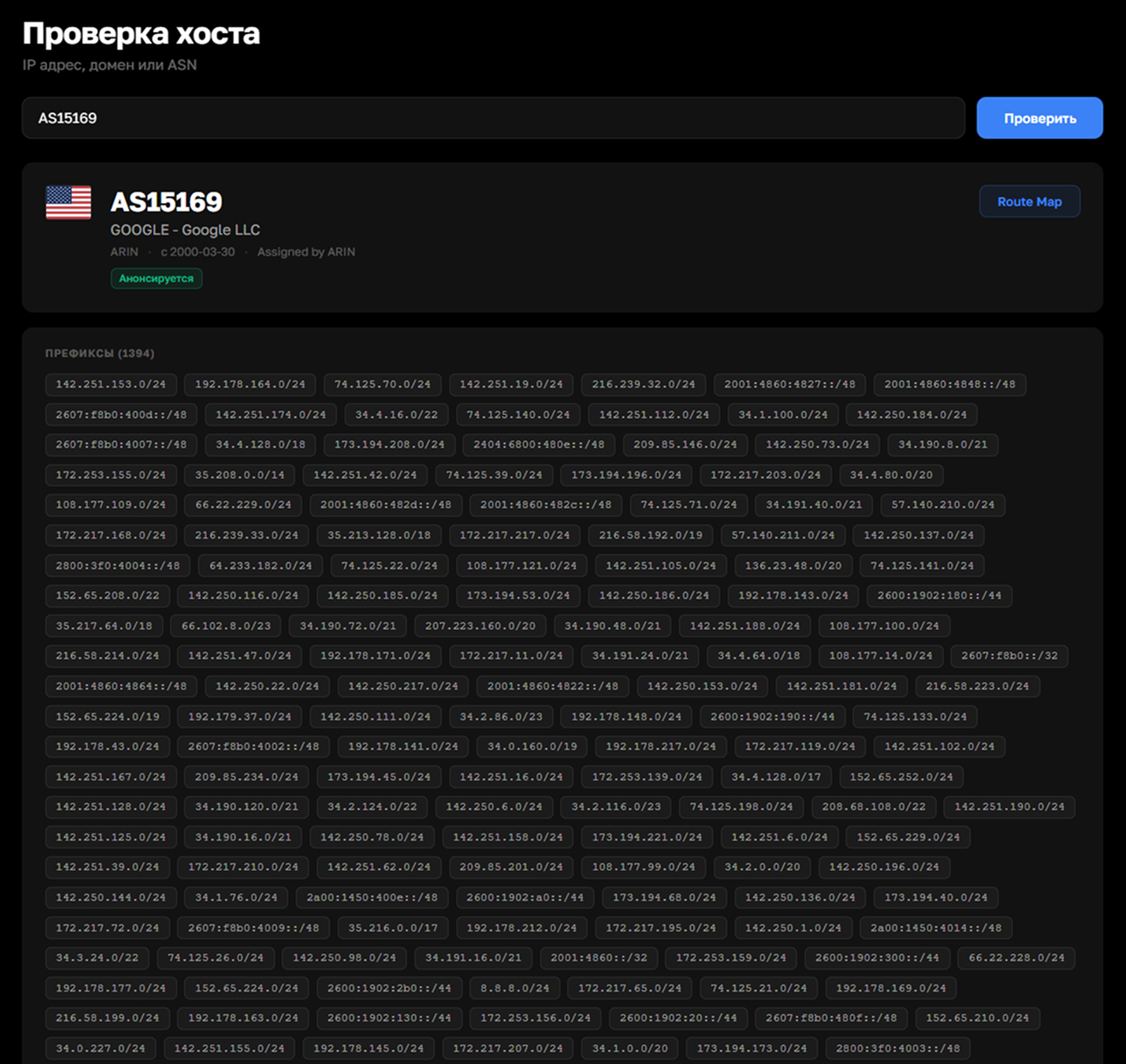
Step 6. ASN lookup results
When entering an autonomous system number, a network card is displayed with the organization name and announcement status. Below that, a full list of network prefixes is shown, including IPv4 and IPv6 ranges
A PeeringDB block is also available with detailed information about the operator: traffic volume, peering policy, number of points of presence and data centers, and abuse contact information. Here you can also see the number of neighboring ASNs — upstreams (providers that provide transit) and downstreams (networks that depend on this operator)
At the very bottom are the abuse contacts and the official RIPE registry record
Show screenshot
Sometimes loading the data may take some time, especially if there's a lot of it. This is often the case for large domains, ASNs or IP addresses. In rare cases, loading may take 1-2 minutes